






Getting Started with Conversations
Updated: July 01, 2026
Talk
Talk
Talk Settings
Page Editor
Create a Card
Create a Folder
Edit a Card or Folder
Copy a Card or Folder
Move a Card or Folder
Enabling and Disabling the Editor
Search Not Displaying Any Results
Missing Cards and Folders
Dual Language Mode
Search for Cards and Folders
Message Window
Alternative Pronunciation
Therapy
Therapy
News
News
Community
Join In
Table of Contents
What Is the Conversations Feature?
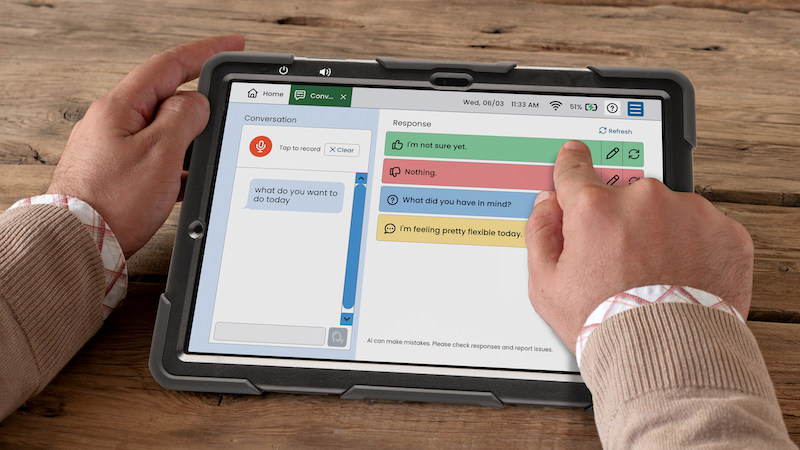
Conversations is a communication support tool that empowers AAC users to participate in real-time conversations. This tool transcribes a communication partner’s speech and provides AI-supported response suggestions that the AAC user can choose to review, edit, and speak. The goal is to reduce the cognitive load of responding during real-time dialogue — giving the device user more time and energy to participate meaningfully in a conversation rather than spending it searching for words.
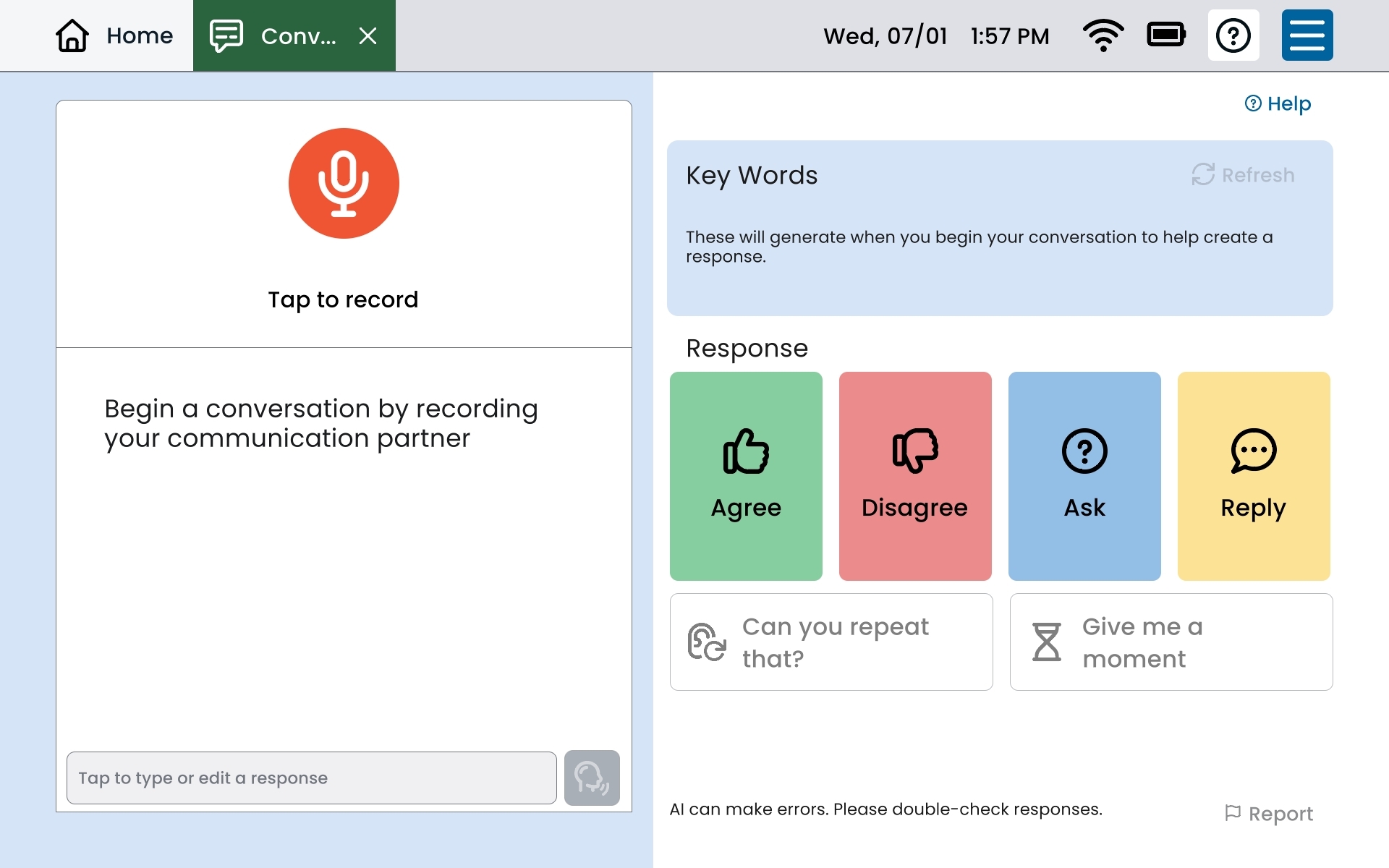
The Conversations Screen at a Glance
Starting Your First Conversation
-
Tap Conversations from the Home screen.
-
Ask the communication partner to speak naturally to the device user.
-
Tap the orange microphone button — the device begins recording.
-
When the partner finishes speaking, tap the stop button (or let it stop automatically if enabled in Settings).
-
The partner’s words appear as a transcript in the left panel.
-
AI-suggested responses appear on the right — review and select one, then tap Speak.
