




Conversations Settings
Updated:
Talk
Talk
Talk Settings
Page Editor
Create a Card
Create a Folder
Edit a Card or Folder
Copy a Card or Folder
Move a Card or Folder
Enabling and Disabling the Editor
Search Not Displaying Any Results
Missing Cards and Folders
Dual Language Mode
Search for Cards and Folders
Message Window
Alternative Pronunciation
Therapy
Therapy
News
News
Community
Join In
Table of Contents
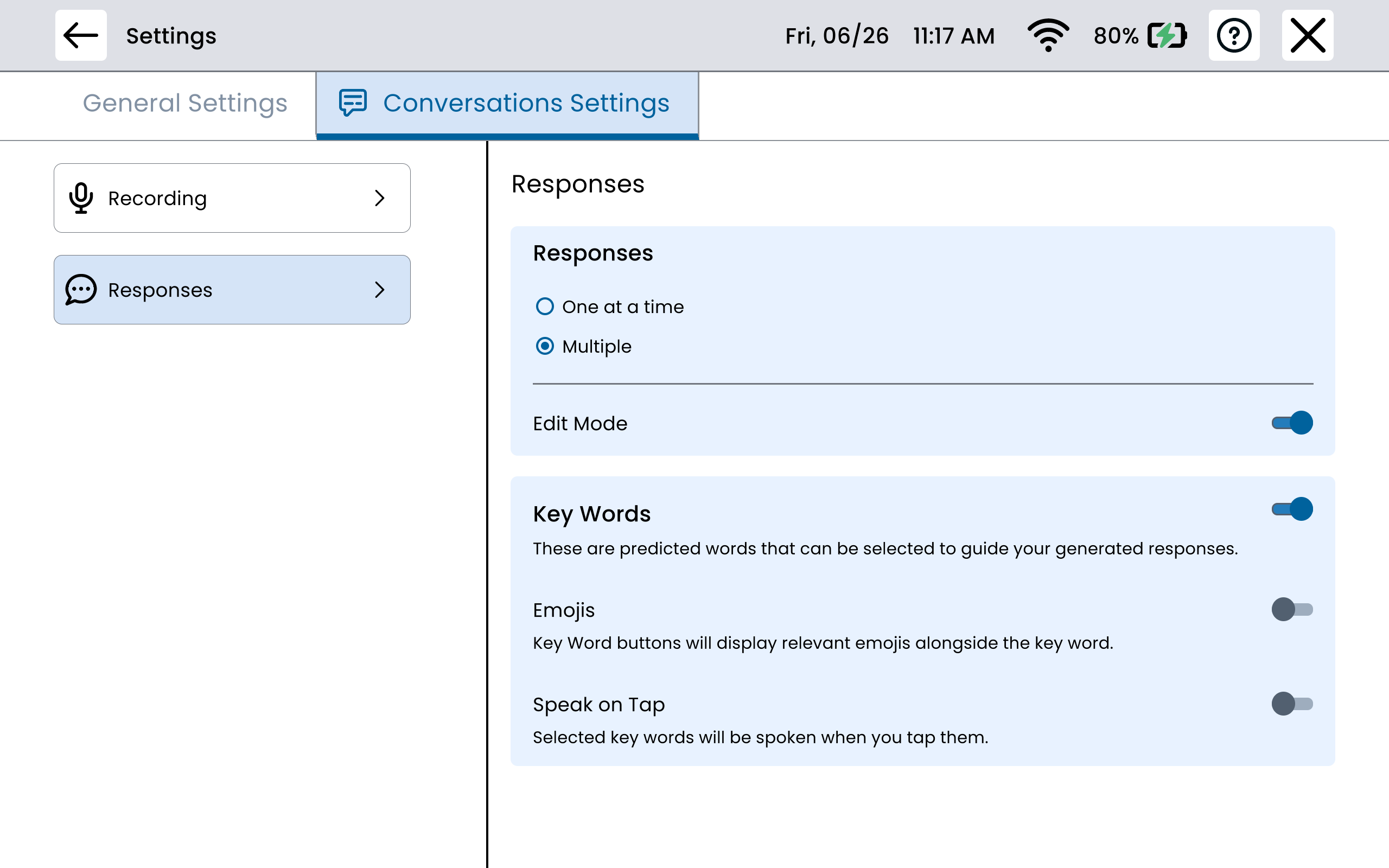
Multi-Response vs. Single-Response Mode
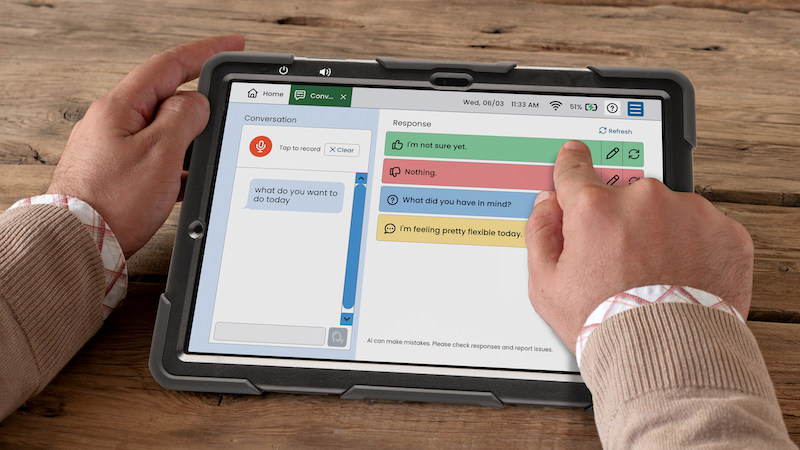
Under response layout settings, users can switch between Multi-Response (multiple answer suggestions displayed at once) and Single-Response (one answer at a time) modes.
Keywords and Edit Mode
Keywords and edit mode are turned on by default; auto-record is turned off by default based on pilot feedback.
Recording Settings
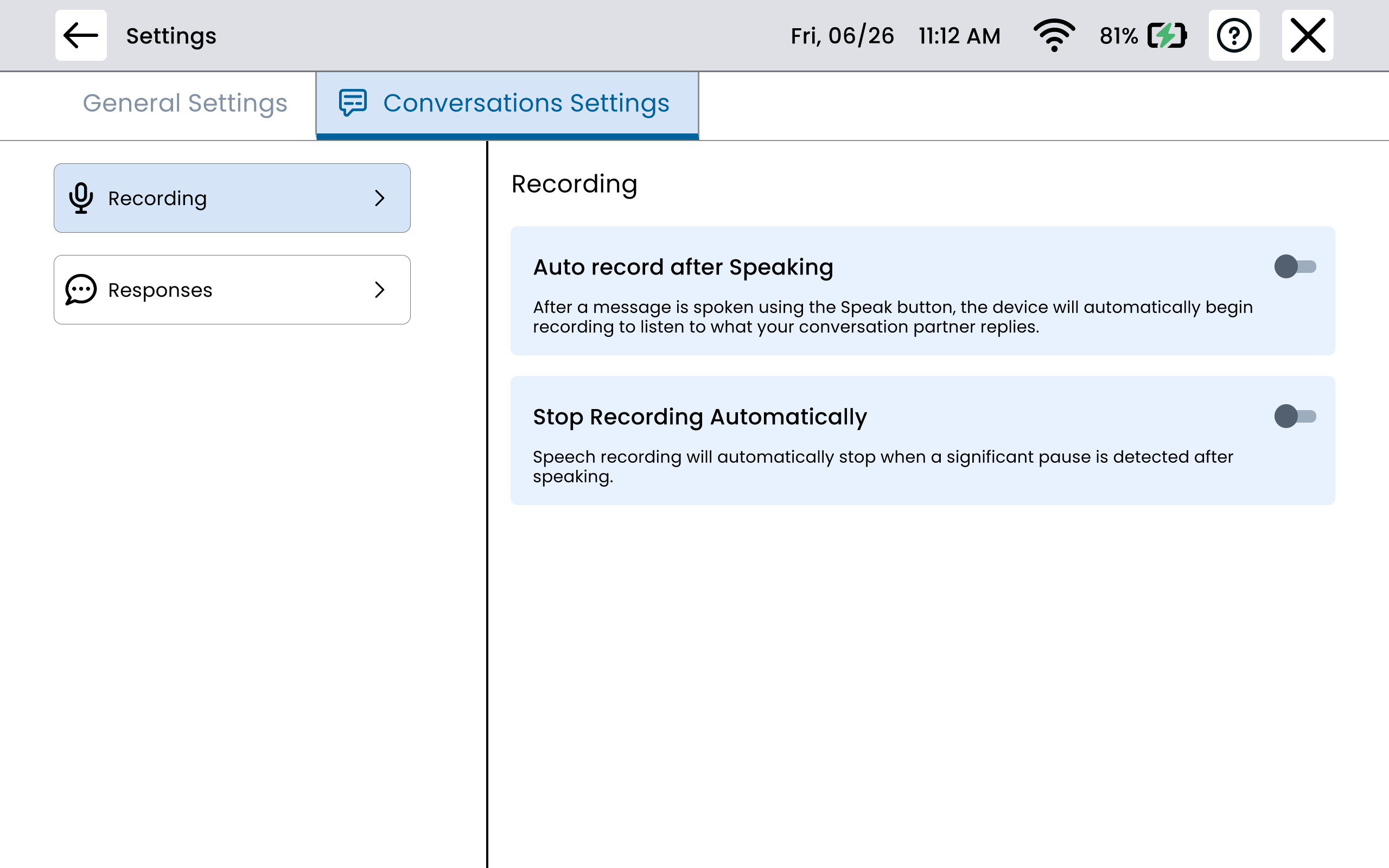
Auto-Record after speaking and Automatically Stop Recording are turned off by default, also based on pilot feedback.
Adjusting Conversations app settings
-
Open the Conversations app and tap the settings icon
-
Under Response Layout, choose single or multiple response mode.
-
Toggle Keywords on or off — keywords are highlighted terms in the answers panel to help guide the responses generated by Conversations.
-
Toggle Edit Mode on or off — edit mode allows the user to modify responses before speaking them
Toggle Auto-Record on or off — when on, the tool, automatically begins recording when opened; when off, the user starts recording manually.
Toggle Stop Recording Automatically on or off — when on, the tool automatically stops recording when the communication partner pauses speaking; when off, the user must press top recording manually.