


Introducing Conversations: A New Tool for Getting Back in the Conversation
Published on Jun 24, 2026
Lingraphica has solved communication challenges for people for over 35 years, focusing on tools that evolve with the times. Now, a new tool on Lingraphica devices is ready to help people with one of the hardest parts of communication: spontaneous conversation.
The problem with spur-of-the-moment conversation
People with communication challenges often tell us they feel left out of the conversation.
Augmentative and alternative communication (AAC) devices (like Lingraphica’s) can help people communicate in a lot of ways:
- You can order your favorite dish at a restaurant with pre-recorded spoken answers.
- You can type text to answer for you when your doctor asks you a question.
- You can draw pictures of what you mean when talking to your family.
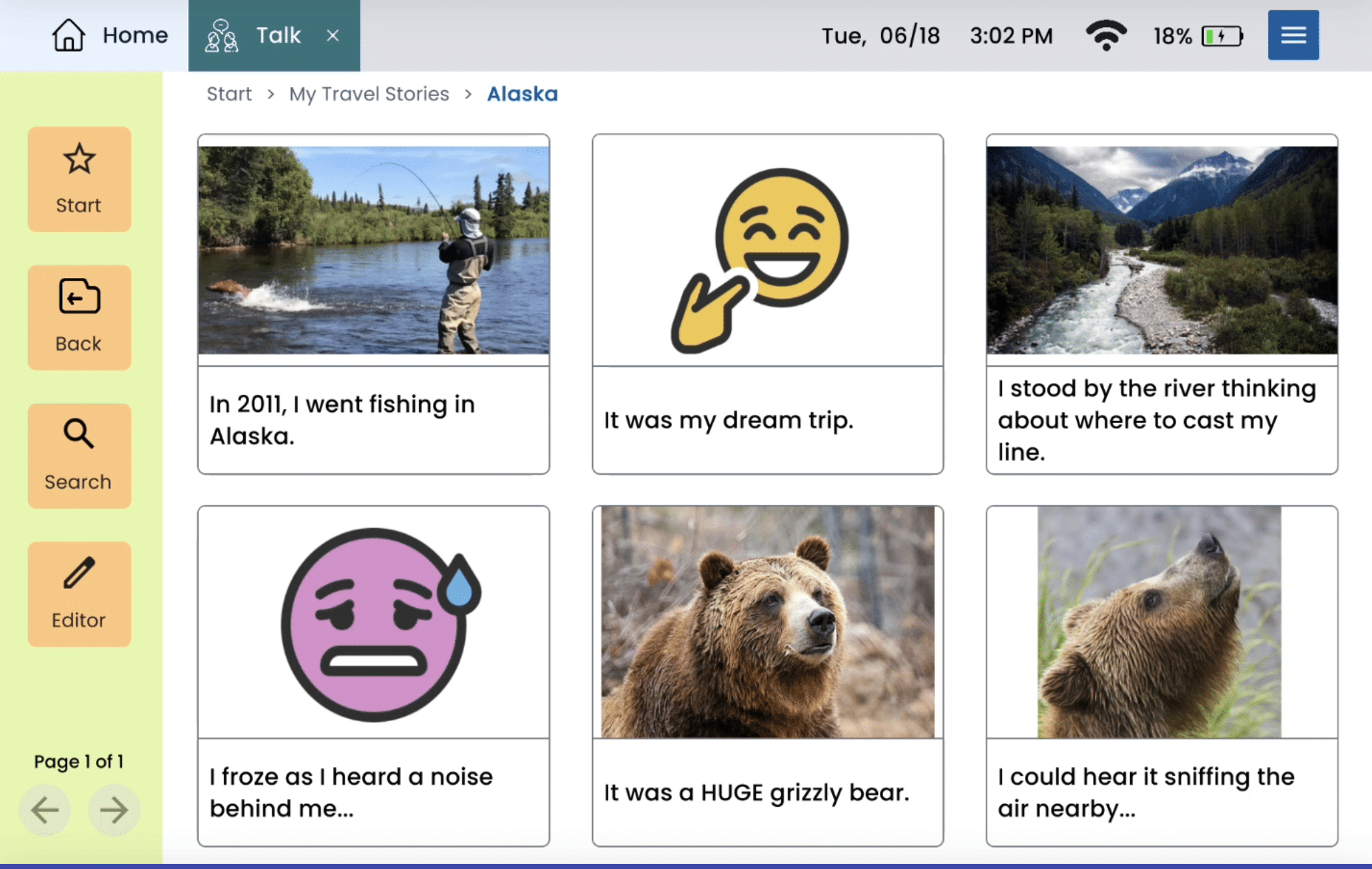
- You can tell stories about your favorite memories with visual scenes.
But what about day-to-day conversations that you don’t have a pre-set answer for? Maybe you want to join in a conversation about:
- Last night’s basketball game
- Your opinion on a recent news story
- Your family’s plans for the day
You may not have pre-recorded phrases or words for these situations on your device, and typing may feel like it takes too long. Sometimes it can feel like the conversation moves on before you have a chance to say what you mean.
A real-life conversation
Picture this:
Last night’s basketball game was exciting! You’re really invested in the Knicks this season and you hope they win the series.
You want to talk to your brother – another huge Knicks fan – about the game and tonight’s match-up. You’ve had messages in your Lingraphica folders set up for months about the Knicks and basketball in general. But you want to get into the specifics of last night.
How can you use Conversations?
With Conversations, you have a new option for quick-moving conversations like this.
Here’s how you can use Conversations:
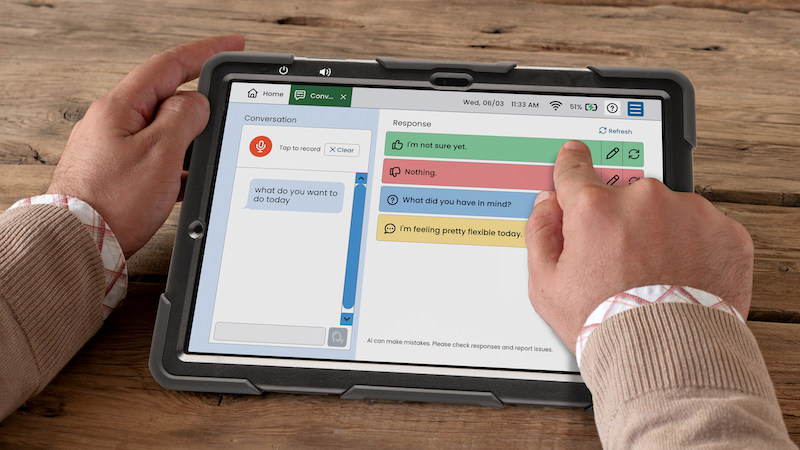
- Open the Conversations tool on your Lingraphica device and press “record”.
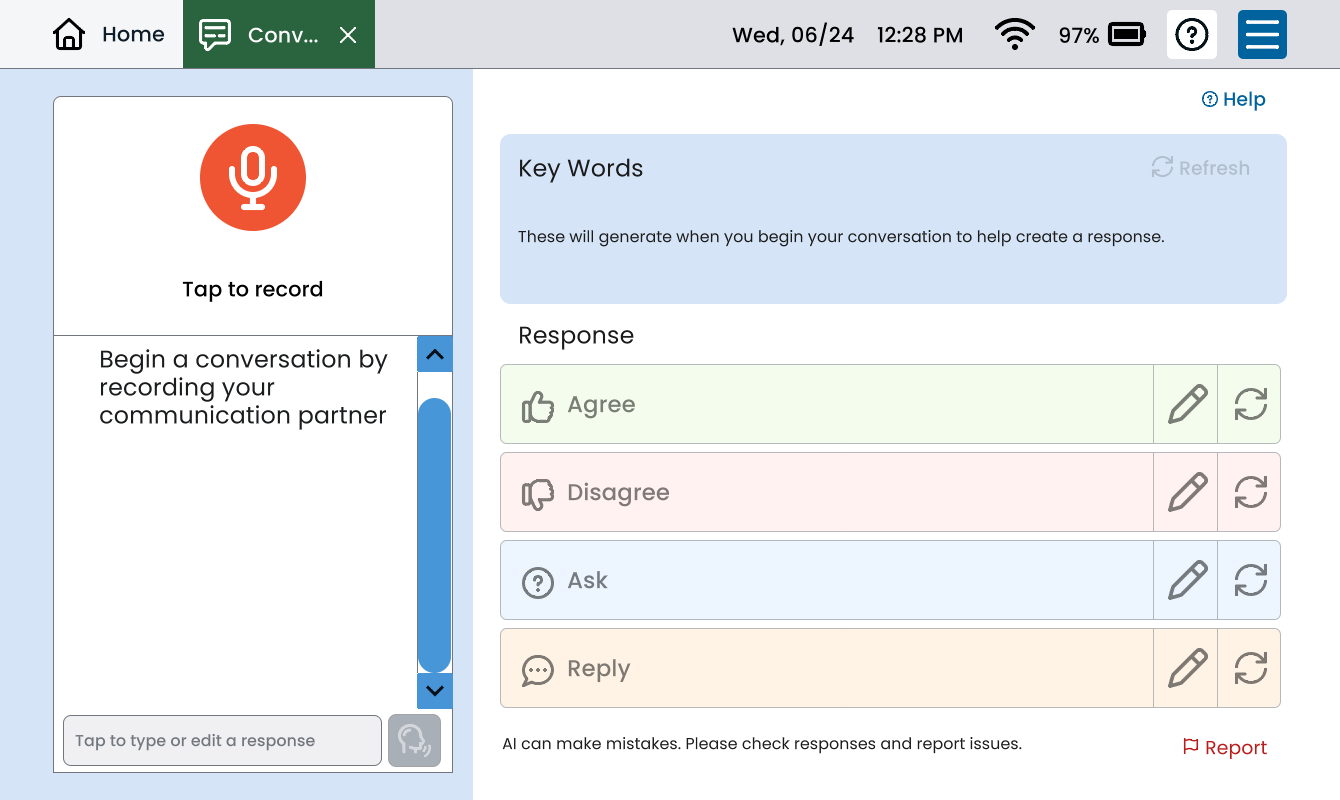
- Your conversation partner says something and Conversations transcribes it.
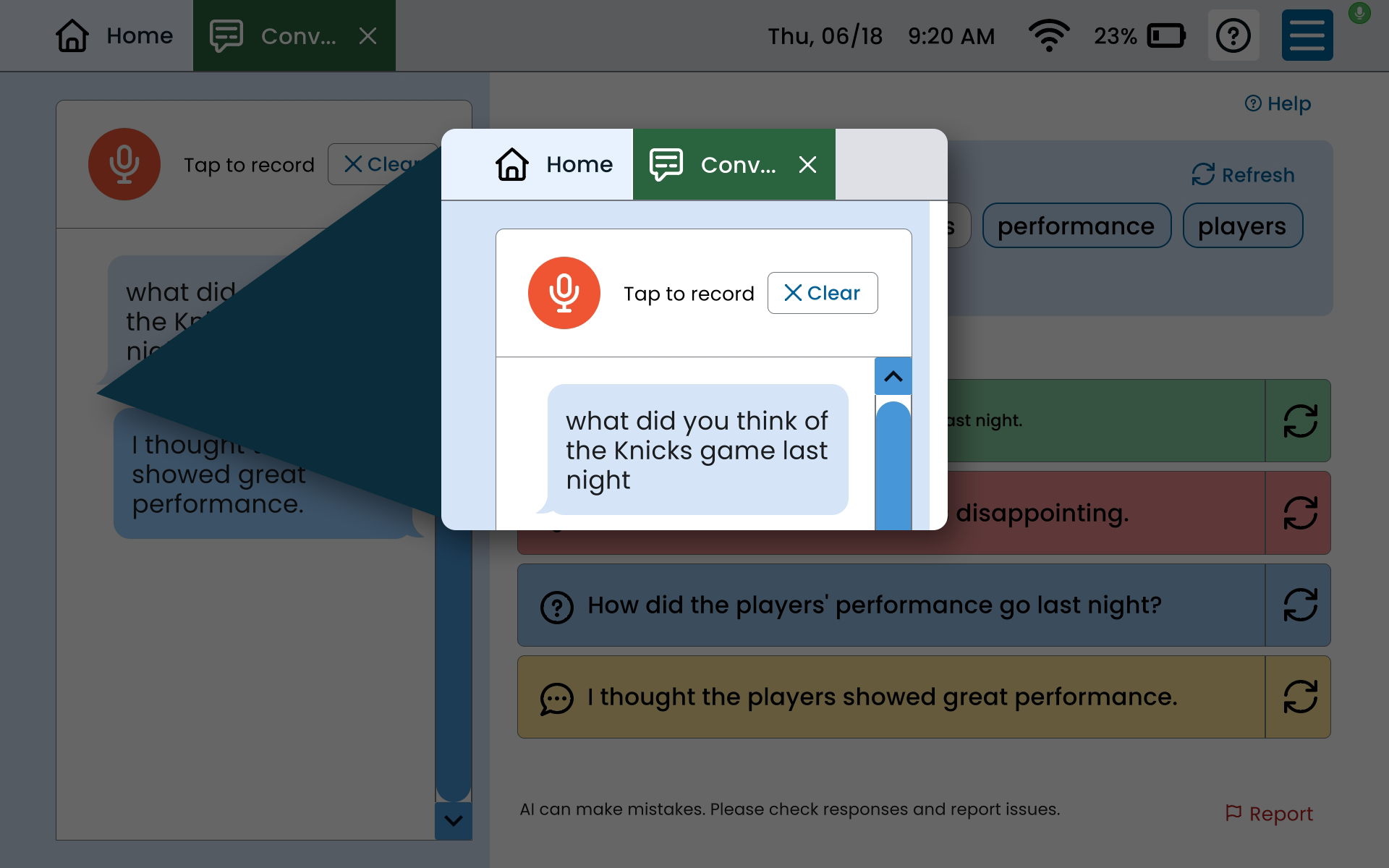
- Conversations then suggests keywords for you, based on your preferences and current context. You pick the keywords that make the most sense for what you want to say.
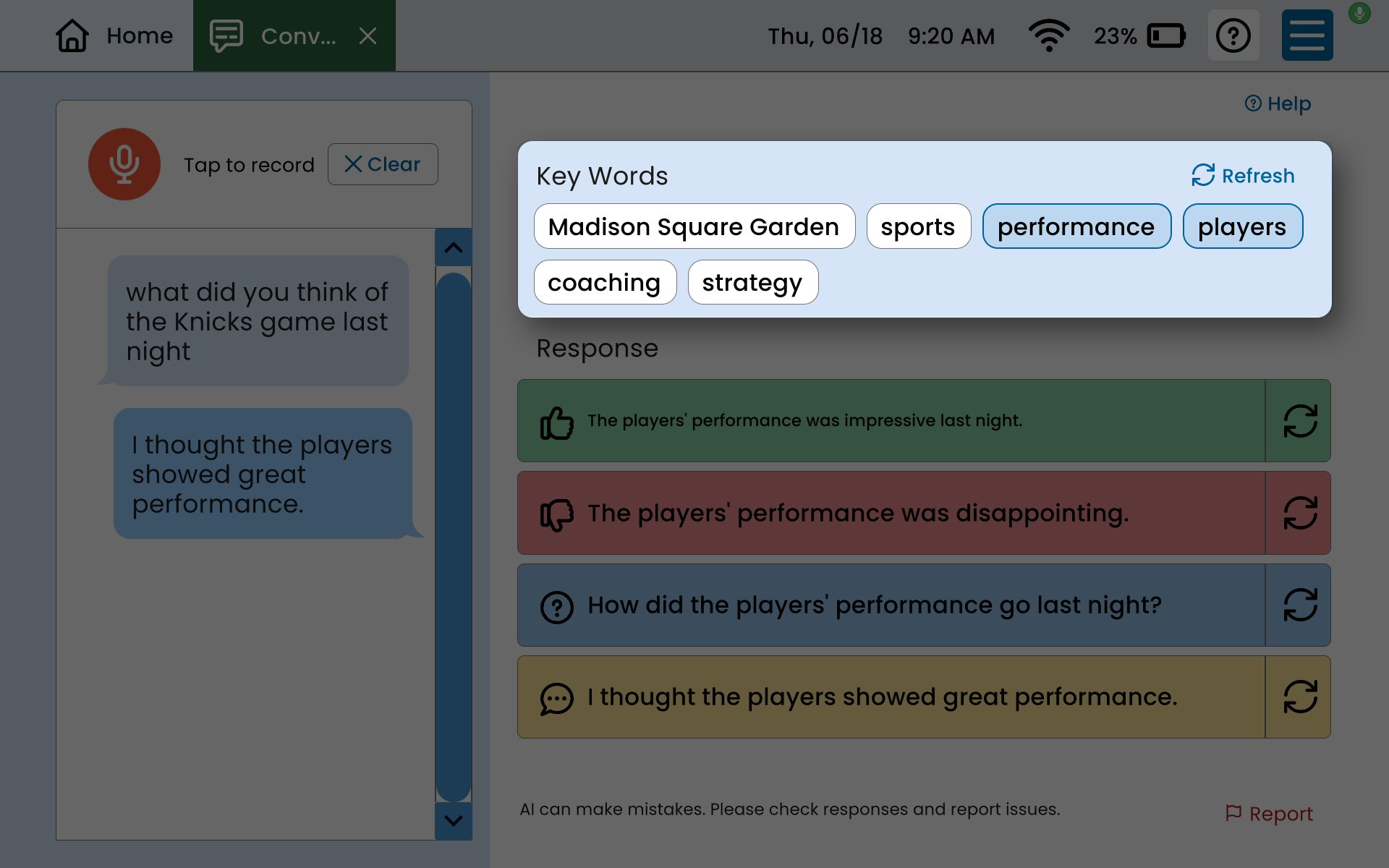
- You can decide what type of response you want to give – agree, disagree, ask a question, or reply. Conversations will offer response suggestions based on your selected keywords and the type of reply you want.
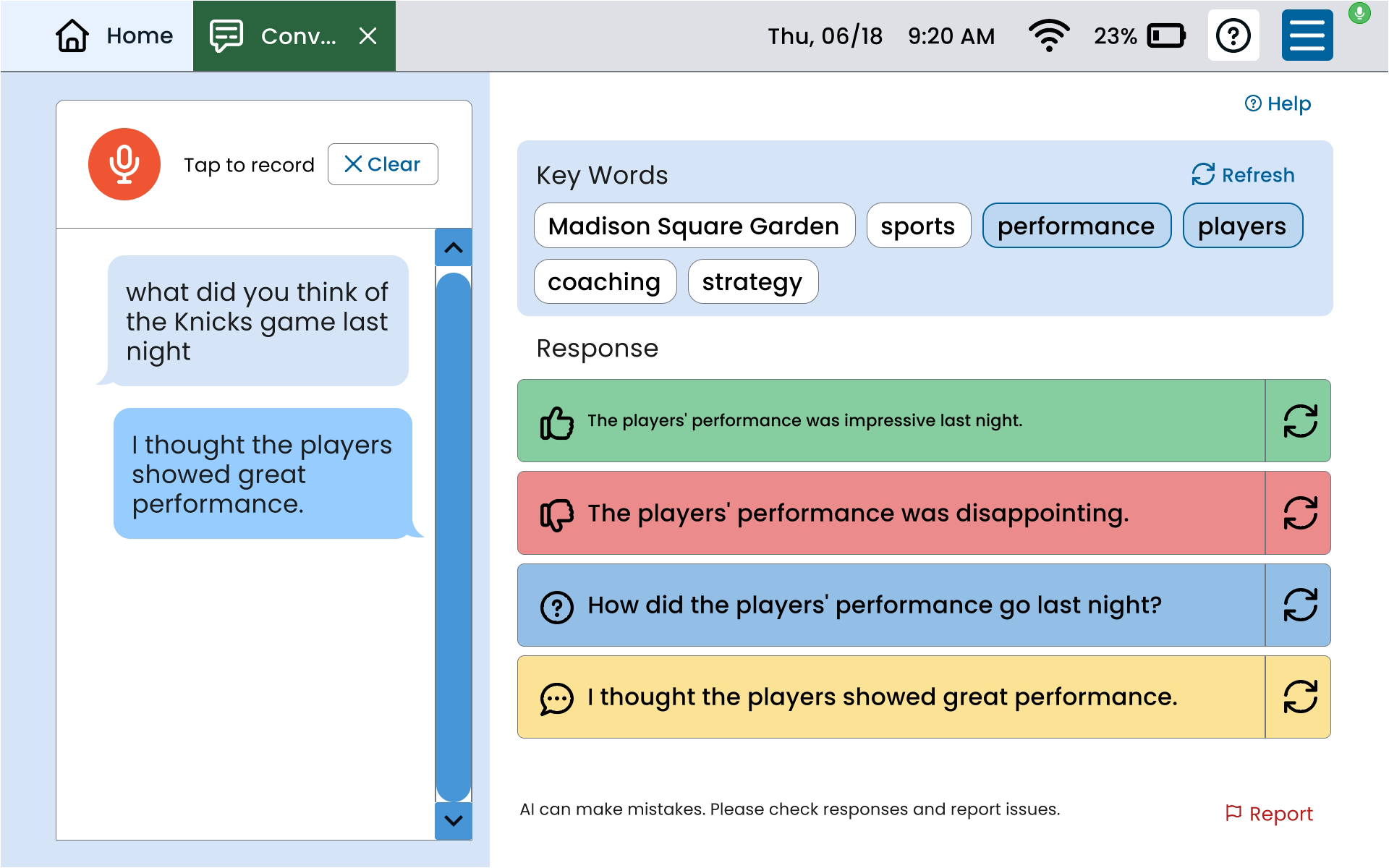
- You can press “speak” to have the device say the response out loud, or you can read the response aloud yourself. The conversation can keep going from there.
How does Conversations work?
Conversations uses artificial intelligence (AI) to help suggest responses for you, based on your preferences and context.
Unlike other AI tools you may have heard of, Conversations doesn’t sync up to an external cloud or teach a large language model how to respond based on what you say. Lingraphica uses a private data center to host the system. All of your information – including any health data and your conversations – stay private. Also, Conversations doesn’t save your input after you close out of the tool.
Conversations is another tool for Lingraphica device users to help support communication. It’s meant to be used with other Lingraphica Hub tools on your device like Talk, Type, Scenes, and Draw in a way that works best for you.
Who is Conversations for?
Conversations is for adults over 18 with communication challenges who want another tool to help them speak their mind. Lingraphica devices are used by people with all types of challenges, including:
- Difficulty understanding conversations
- Having a hard time finding the right word to say
- Speaking better with a written or spoken prompt
- Difficulty communicating longer thoughts or phrases
The tool is available on current Lingraphica devices running the Hub platform.
You don’t have to be a tech-savvy tablet user for Conversations to work for you. It can take some time and practice to get Conversations to work best for you, just like any AAC device or tool.
Right now, Conversations is only available in English, but Lingraphica is working on developing a Spanish version.
When can you use Conversations?
You can use Conversations any time you want to have a conversation with someone!
The tool is best for situations where you want to respond more quickly or with more flexible answers, such as:
- In a quick social conversation
- At speech therapy discussions or check-ins
- At the doctor’s office for medical appointments
- Situations where your pre-programmed vocabulary isn’t relevant
Conversations works best in a quiet setting where there’s not a lot of background noise. Your Lingraphica device also has to be connected to the internet for Conversations to work.
Due to AI regulations, Conversations is built for use by adults 18 or older.
Where can I get Conversations?
Conversations is part of the suite of apps on Lingraphica’s Hub platform. The tool is integrated into Lingraphica’s devices so anyone with updated Lingraphica software can use it.
Want to see more?
Check out a free demo of Conversations here.
About Contributor
 Lingraphica Team
AAC Experts
Lingraphica Team
AAC Experts
Lingraphica helps people with speech and language impairments improve their communication, speech, and quality of life. Try a Lingraphica AAC device for free.
Contributors
Lingraphica Team
AAC Experts
Categories
Subscribe to newsletter
Share