



3 real-life examples of visual scene displays in AAC
Published on Aug 29, 2025
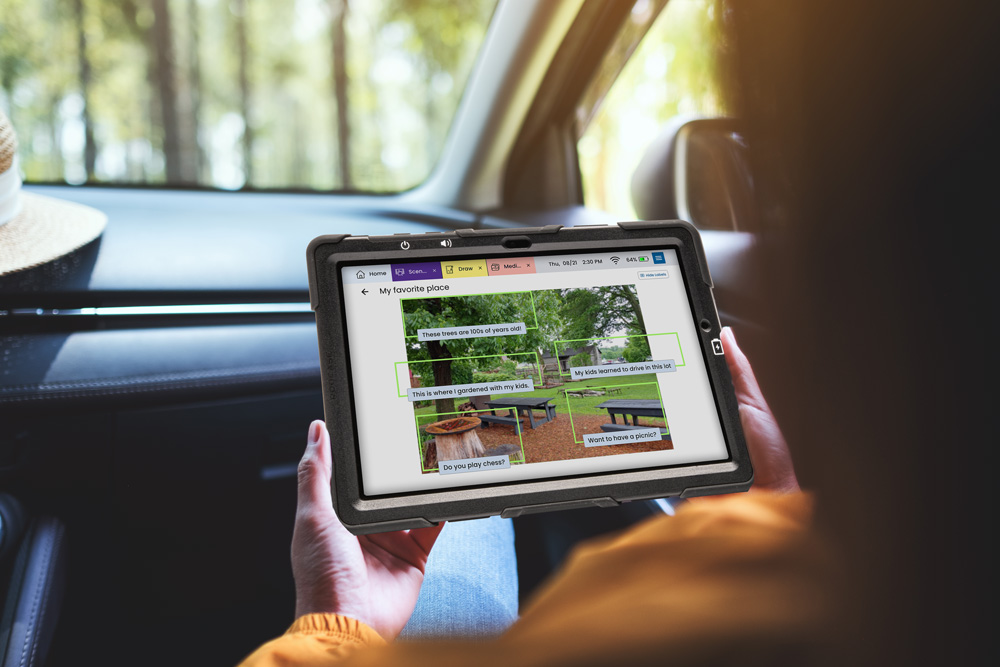
You’ve heard that “a picture is worth a thousand words.” But for someone who has trouble communicating because of a stroke, brain injury, or other medical condition — the right picture can be worth so much more.
When the words just won’t come out the way you want, it can feel lonely and frustrating. Visual scene displays (VSDs) give you another way to communicate by using your pictures to spark real conversations. Now, you can tap on parts of a picture to share what you want to say.
Here’s a quick example of how a visual scene display can work in real life:
One Lingraphica device user with primary progressive aphasia found herself struggling to tell her husband what she needed during dinner. He opened the restaurant scene on her device, and she quickly selected “plate.” Turns out, she wanted an extra plate to share her french fries with him! ❤️
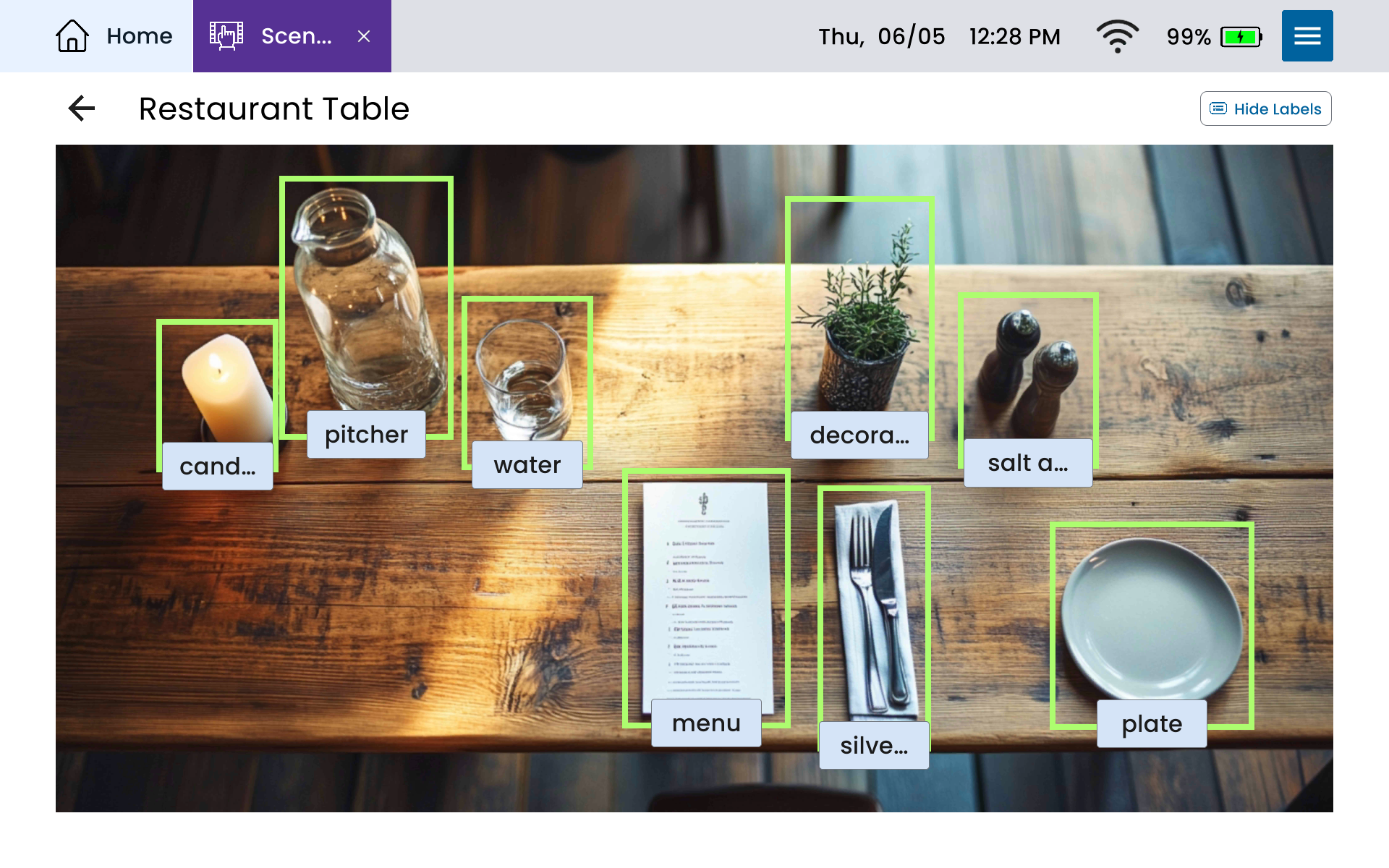
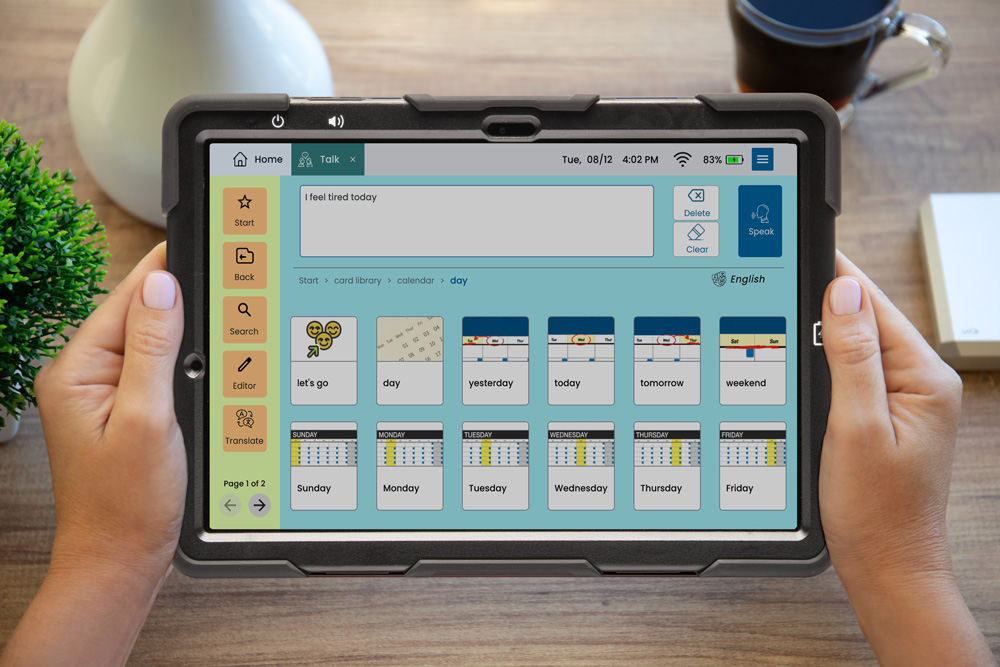
You (or a loved one) can now use Lingraphica’s Scenes app — plus Talk, Type, Media, and Draw — to make communication easier.
In this article, we’ll share three practical ways you can use Lingraphica’s new Scenes app to share stories, manage routines, and start conversations.
Visual scene display example #1: Share favorite stories and memories
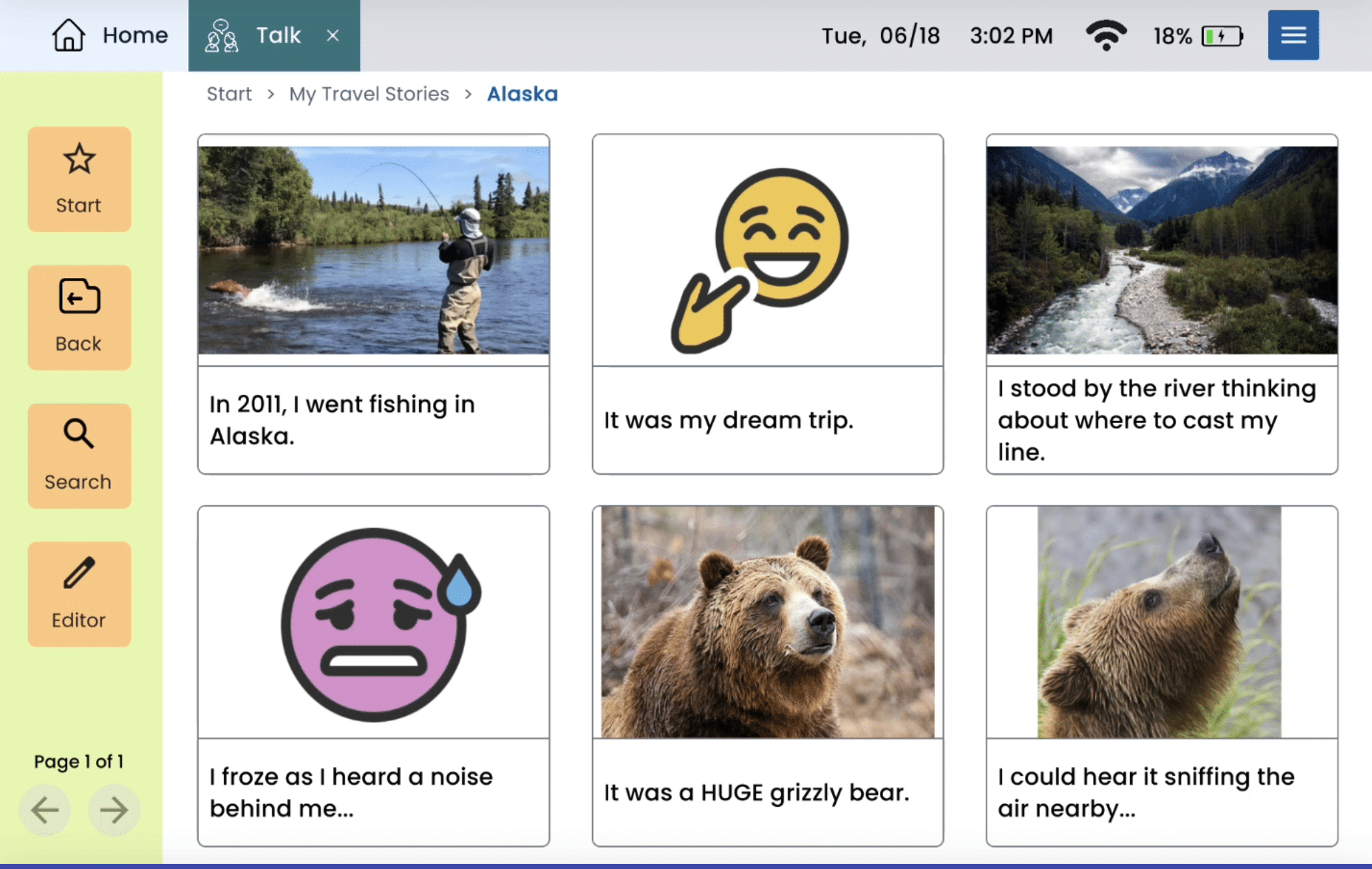
Visual scene displays (VSD) provide an easy way for AAC users to share a lot of information about an event — without needing to program long sentences or scroll through multiple pages on their device. This means Scenes is an excellent tool for sharing your favorite stories and memories!
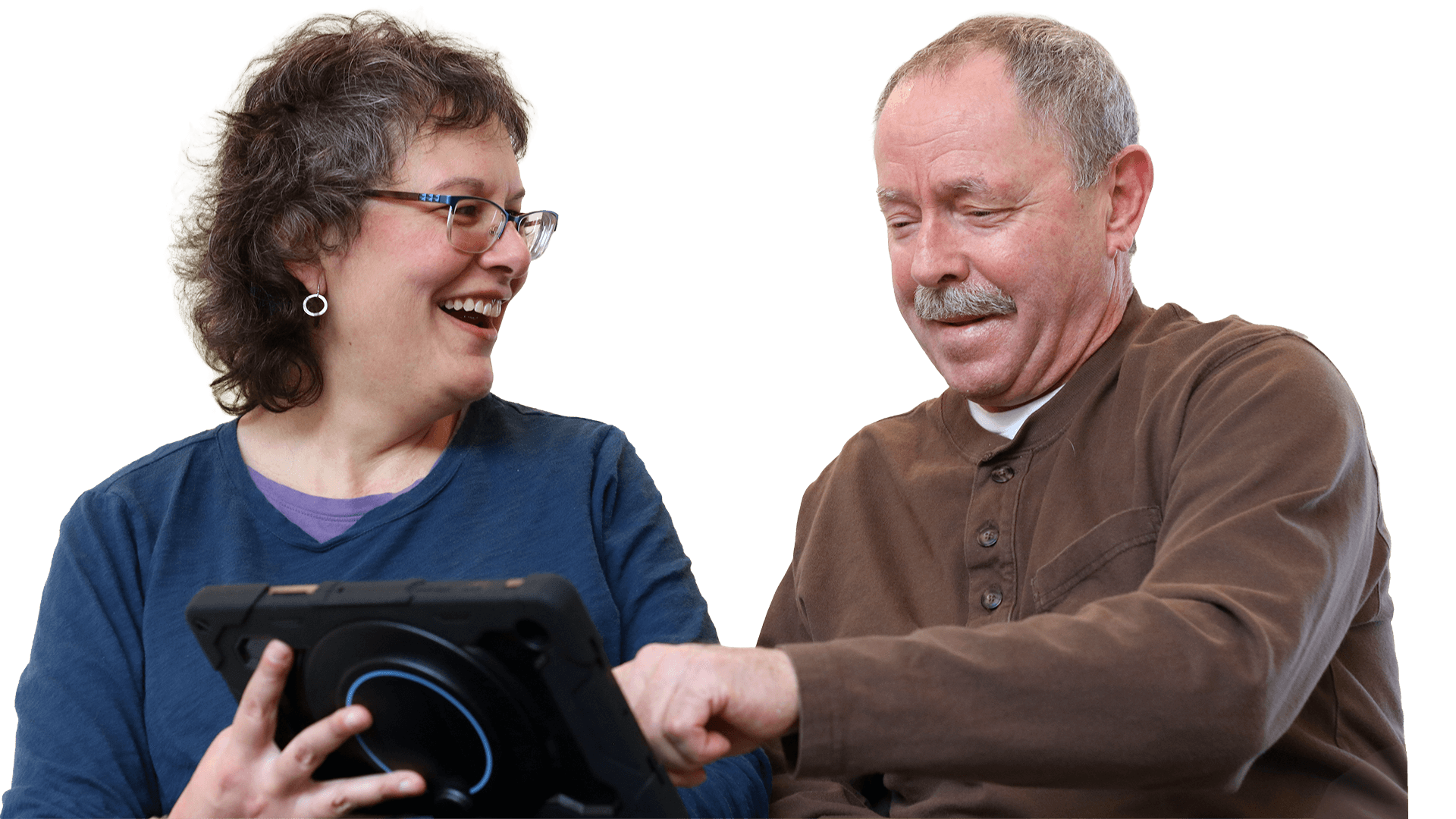
Joseph, a Lingraphica user with primary progressive aphasia, recently started using Scenes to share his incredible photographs and travel stories.
In this video clip, you can see his reaction to using Scenes for the first time with help from Lingraphica speech-language pathologist and Product Manager, John Smyth. Together, they create a Scene so Joseph can share his visit to Mount Marcus Baker — one of the highest peaks in Alaska!
Once you get started, you may be surprised by how many stories you can bring to life! Here are just a few more examples of how you can use a visual scene display to talk about stories and memories…
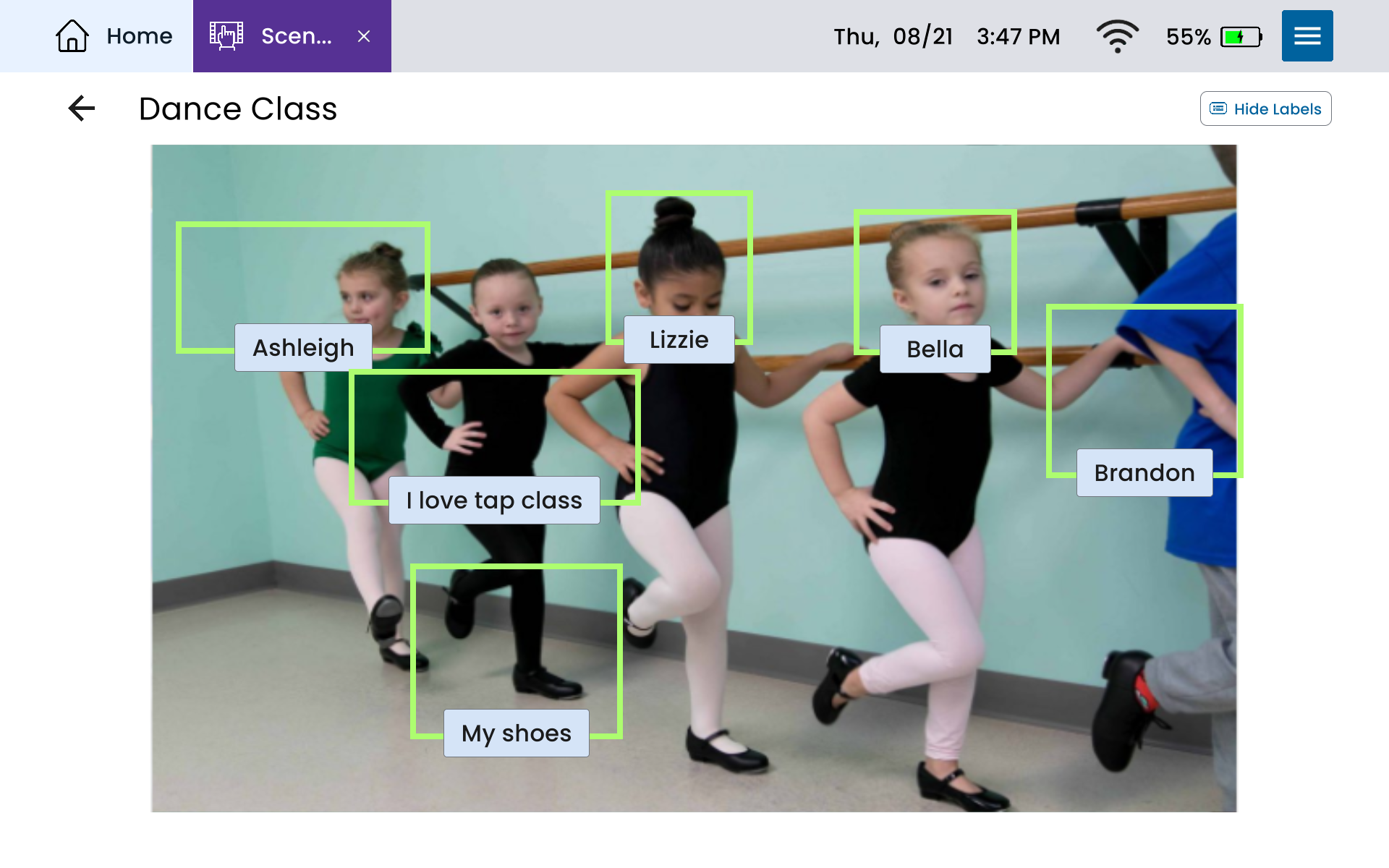
If you’re the parent of a device user, you might create a Scene to help your child talk about their dance lessons with their friends at school:
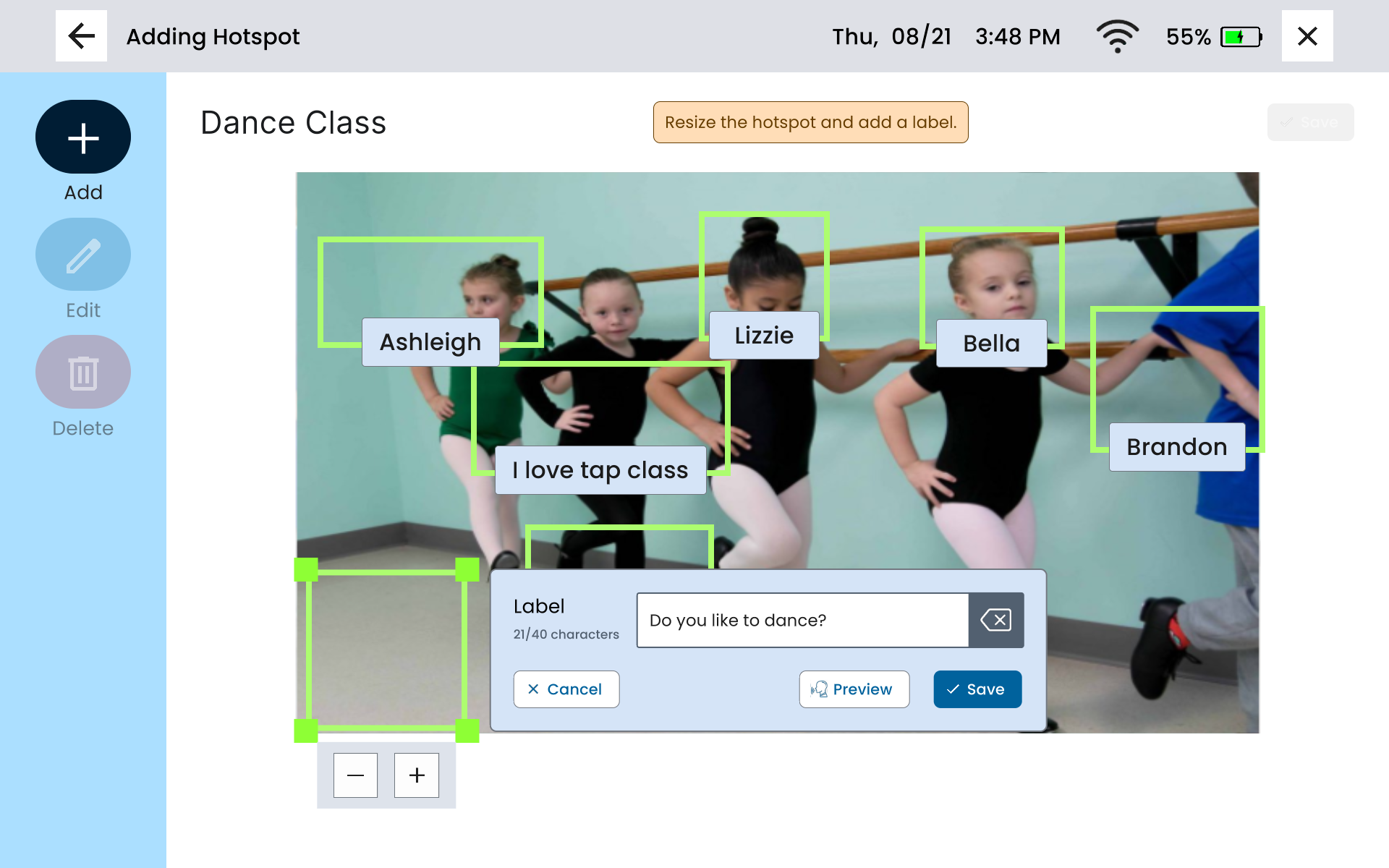
You can also create hotspots with questions to keep the conversation going, like this:
And it doesn’t have to stop at hobbies. You can also build a Scene to share about your career — and add a favorite joke alongside it:
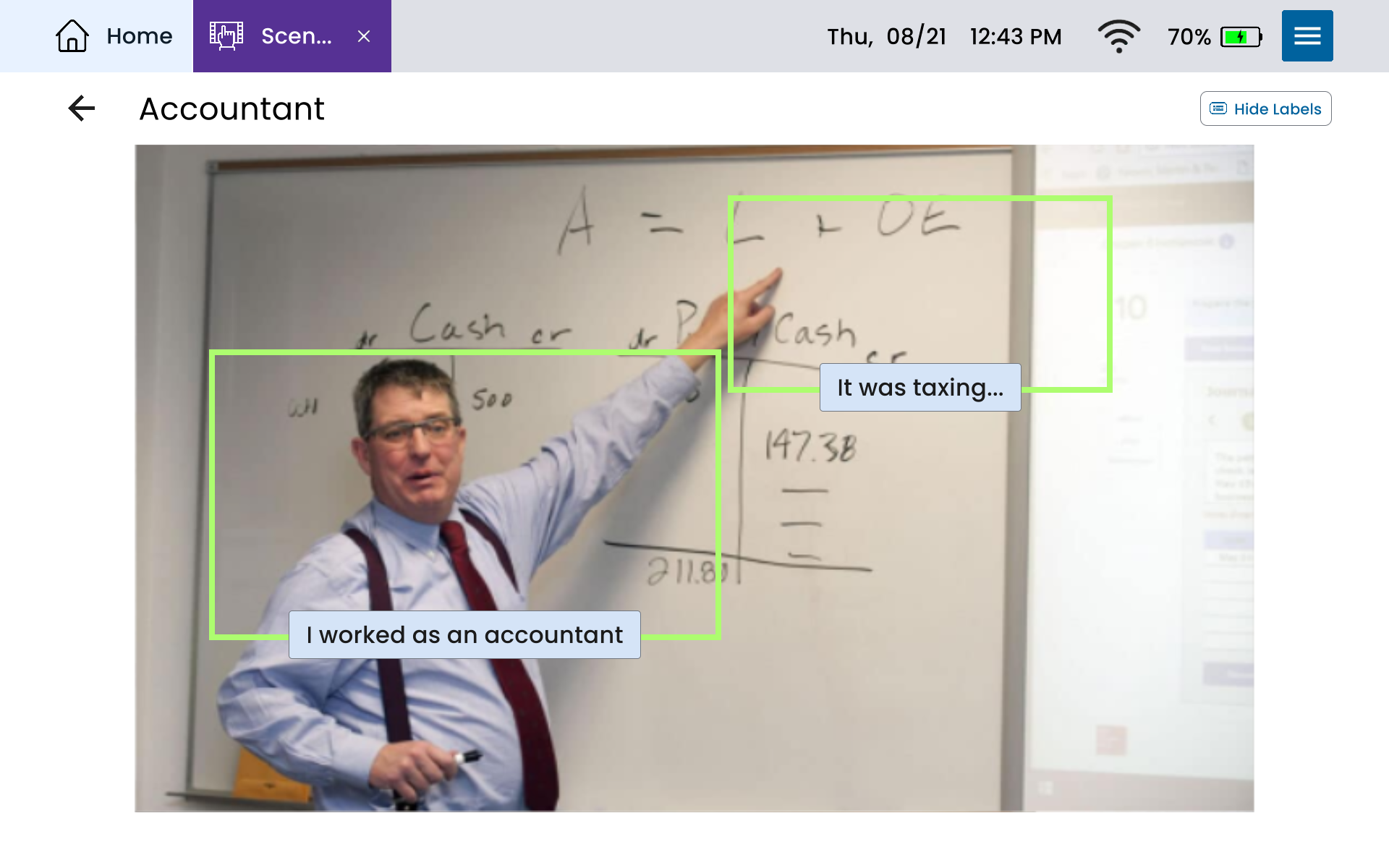
The best part is, there are no rules here. Each Scene is a chance to capture a story you want to hold onto and share with others. Take these ideas as inspiration, and stay open-minded while creating Scenes that share your favorite moments.
Visual scene display example #2: Visual schedules and reminders to simplify everyday tasks
Visual scene displays aren’t just for storytelling. They can also make daily routines feel simpler by providing extra visual information. Visual cues boost comprehension without requiring extra mental effort.
Here are a few examples of how Scenes can help you with daily routines and tasks…
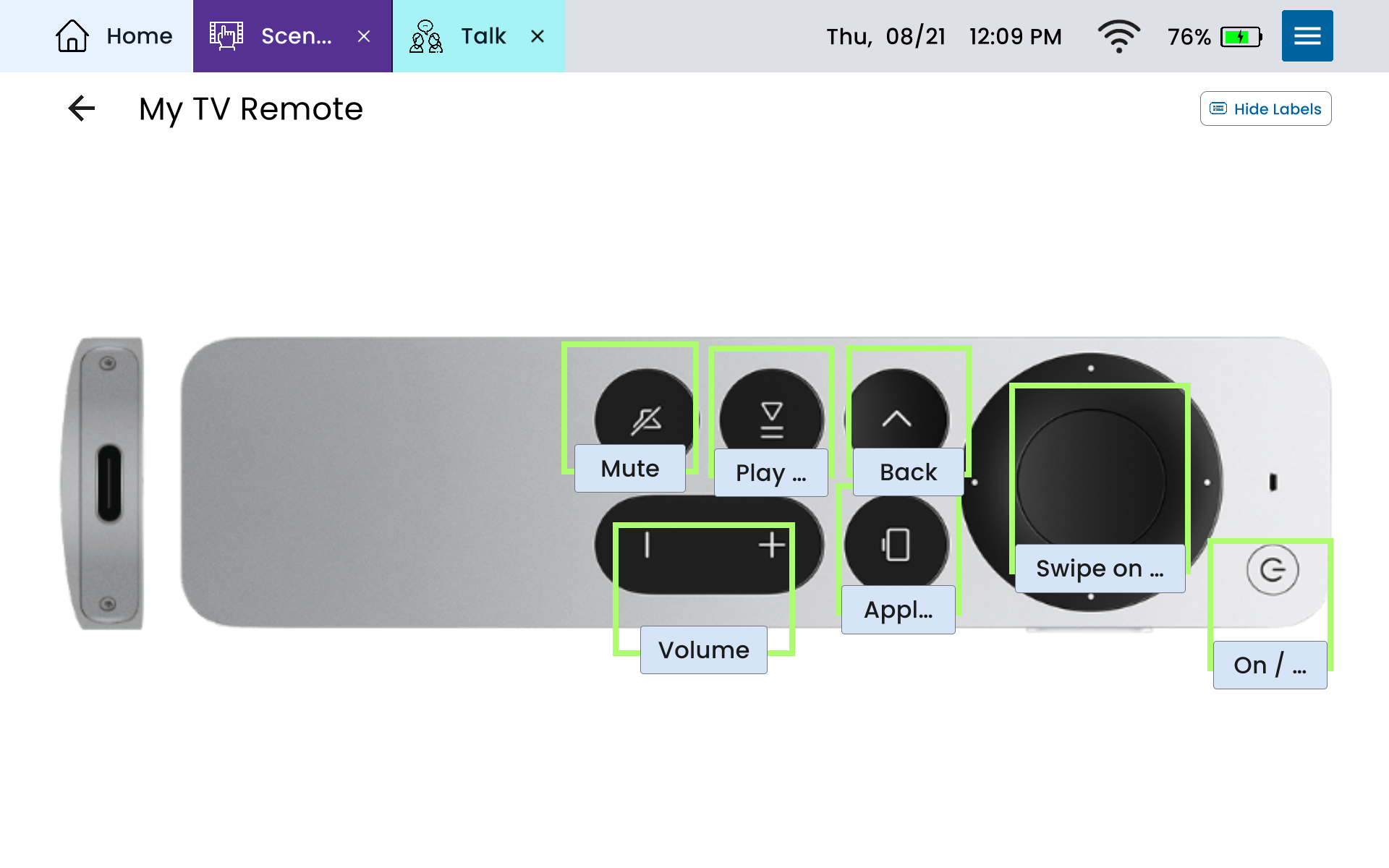
One Lingraphica SLP helped a man with primary progressive aphasia create a Scene with his TV remote. Suddenly, it was so much easier to remember which button does what!
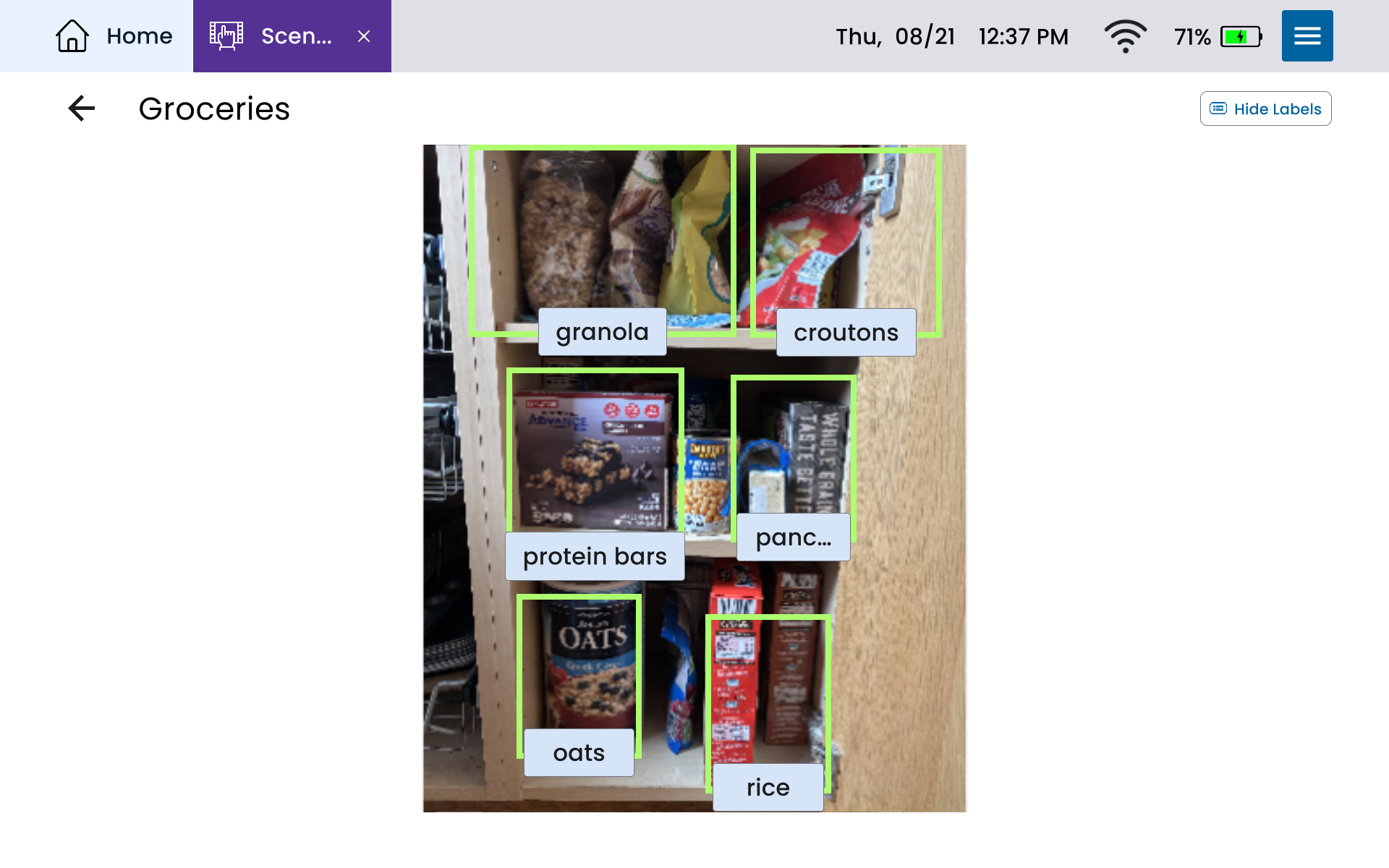
One Lingraphica user with aphasia takes photos of her pantry and saves them as a Scene. With each item labeled, it doubles as a visual grocery list.
You can even create a Scene to serve as a daily schedule. Use the Draw app to make one that shows you exactly which medication to take at which time.
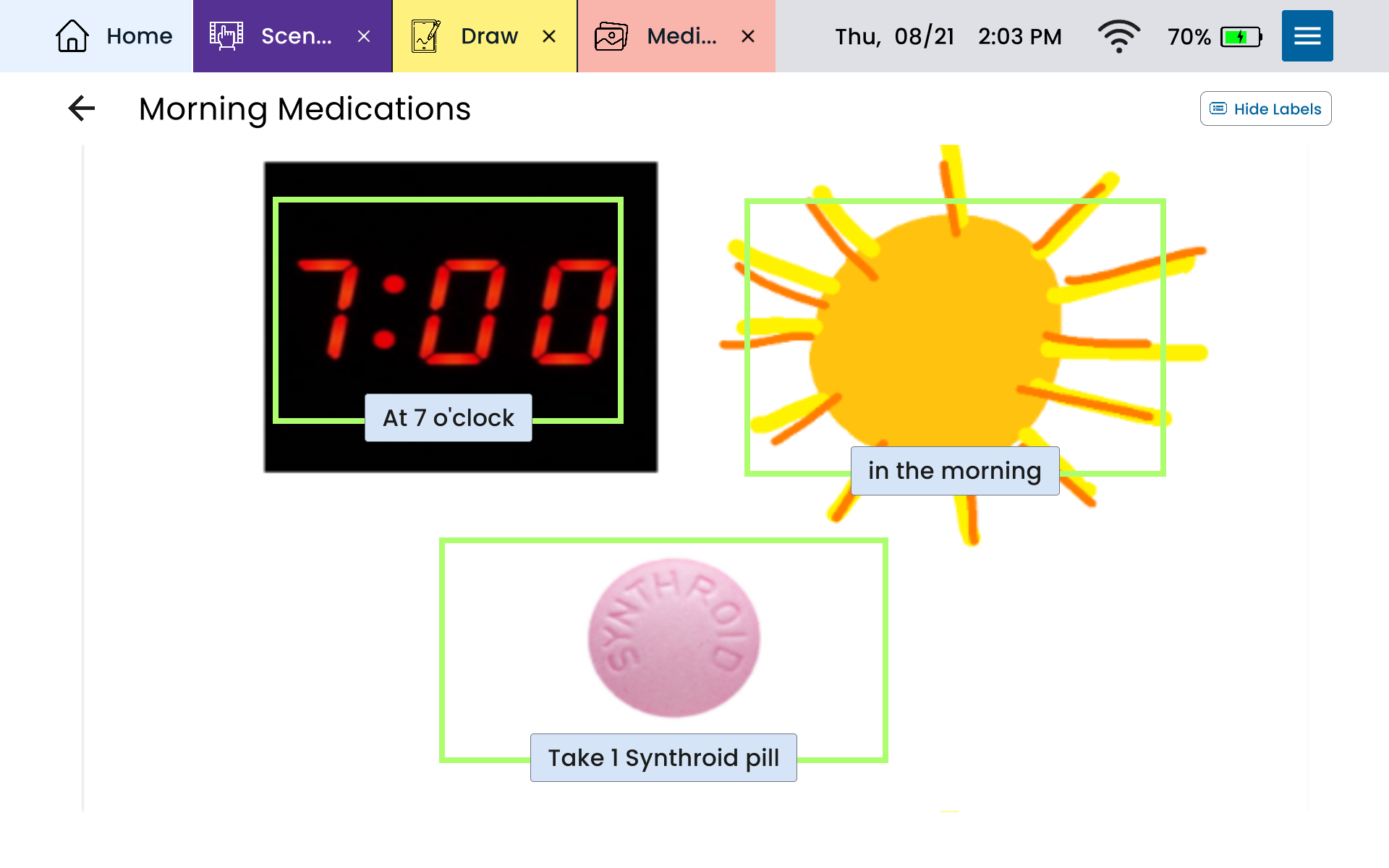
When you break your day into small, visual chunks, routines become more manageable — which makes independence feel a little closer within reach.
Visual scene display example #3: Initiate and keep conversations going
Communication is a two-way street. And even though visual scene displays feature just one image at a time, they can be used to discuss so much more.
Here are a few examples of how Scenes can help you start and continue conversations…
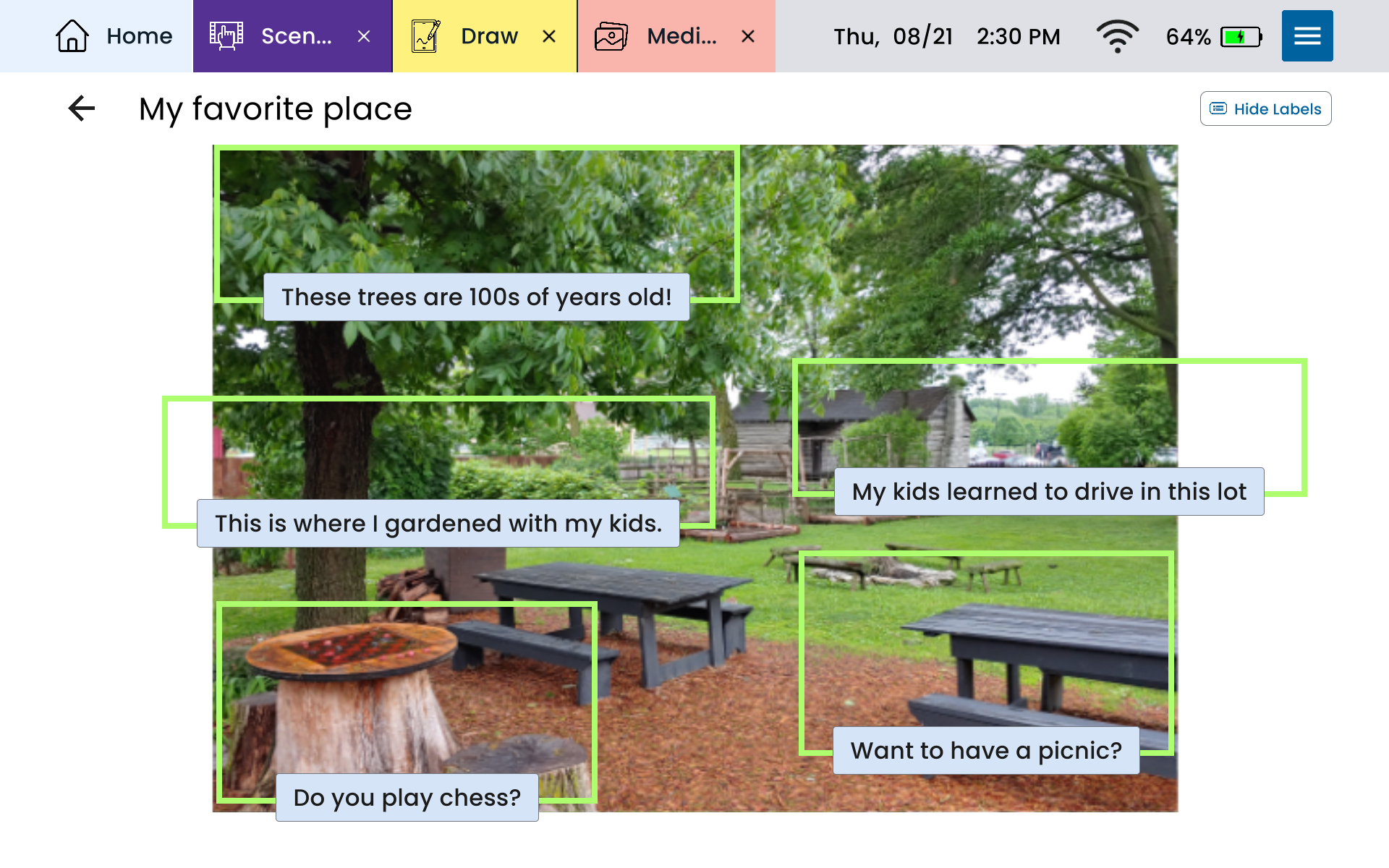
Imagine sharing a photo of your favorite local park. A simple tap on the community garden lets you say, “This is where I gardened with my kids.” From there, the conversation can grow: “Want to have a picnic?” or “Do you play chess?”
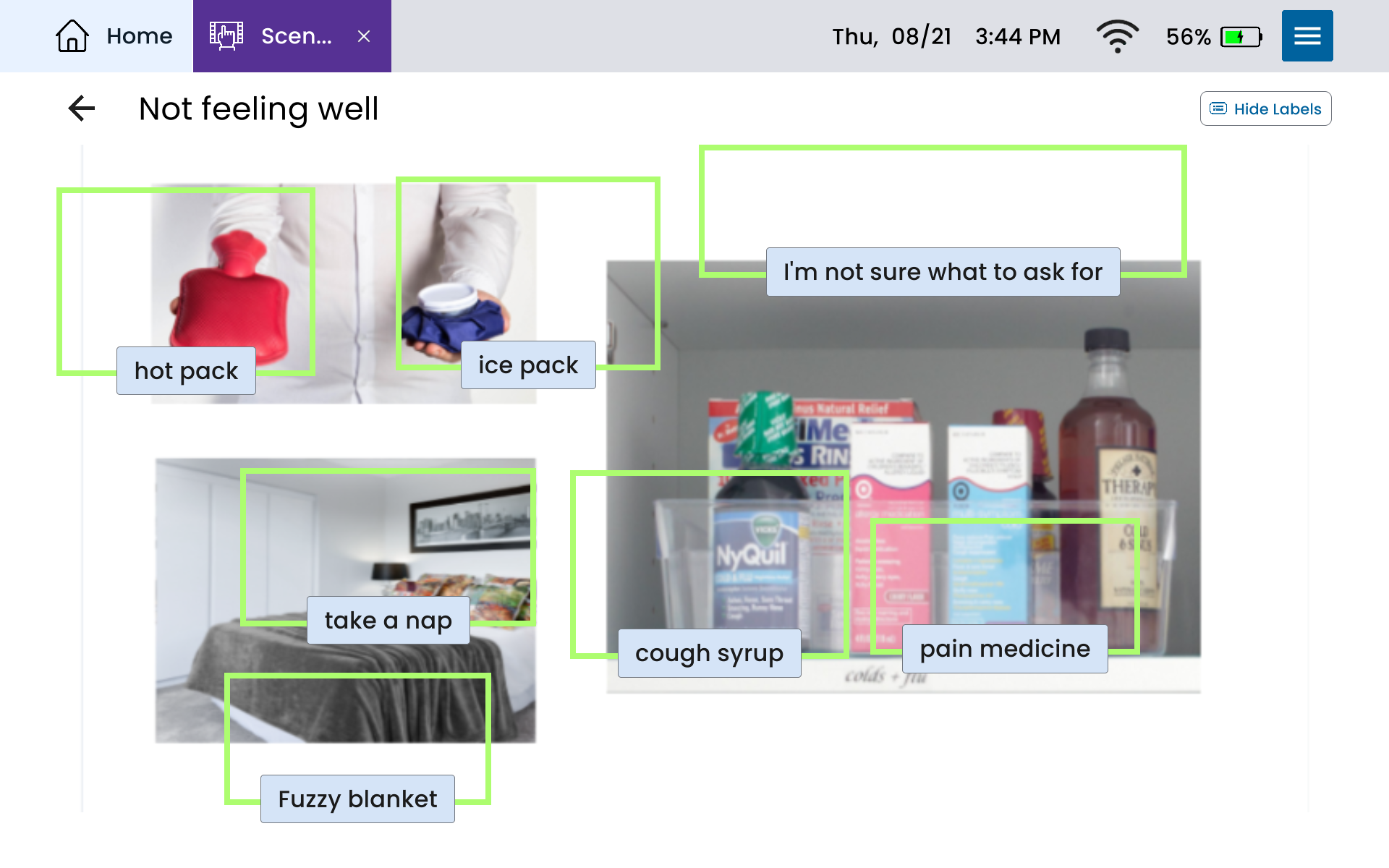
You can also create a Scene to share what you need when you aren’t feeling well. With just a tap, you can quickly say, “I need my pain meds,” or “Can you grab the ice pack?” Instead of struggling to explain, the Scene helps you say what you need in the moment.
And of course, you can use Scenes to chat about the things you’re most excited about doing, too:
Here’s a tip: think again about the places you visit, the activities you love, and the small moments in your day that naturally start conversations. Those are the perfect Scenes to build first.
Want to learn more about visual scene displays and AAC?
We hope the ideas in this blog help you to see what’s possible for your communication when using Scenes and AAC. Whether you want to share a story, make daily routines easier, or connect more with the people around you, Lingraphica’s Scenes app can help, and we’d love to show you how!
If you’re a potential device user, a care partner, or an SLP, the best way to learn more about AAC is to get in touch with us. Schedule a call or demo to see firsthand exactly how our devices work!
About Contributor
 Olivia Bayer, MS, CCC-SLP
Content Writer
Olivia Bayer, MS, CCC-SLP
Content Writer
Before joining Lingraphica in 2024, Olivia spent seven years working as a speech-language pathologist, primarily at a Level I Trauma and Comprehensive Burn Center. She also treated patients in inpatient rehabilitation and provided mobile swallow studies across the Greater Pittsburgh region. Her clinical background gives her a unique perspective on AAC and rehabilitation, which she now shares through Lingraphica’s educational content.
Contributors
Olivia Bayer, MS, CCC-SLP
Content Writer
Categories
Subscribe to newsletter
Share