



Move a Card or Folder
Updated: August 03, 2023
Talk
Talk
Talk Settings
Page Editor
Create a Card
Create a Folder
Edit a Card or Folder
Copy a Card or Folder
Move a Card or Folder
Enabling and Disabling the Editor
Search Not Displaying Any Results
Missing Cards and Folders
Dual Language Mode
Search for Cards and Folders
Message Window
Alternative Pronunciation
Therapy
Therapy
News
News
Community
Community
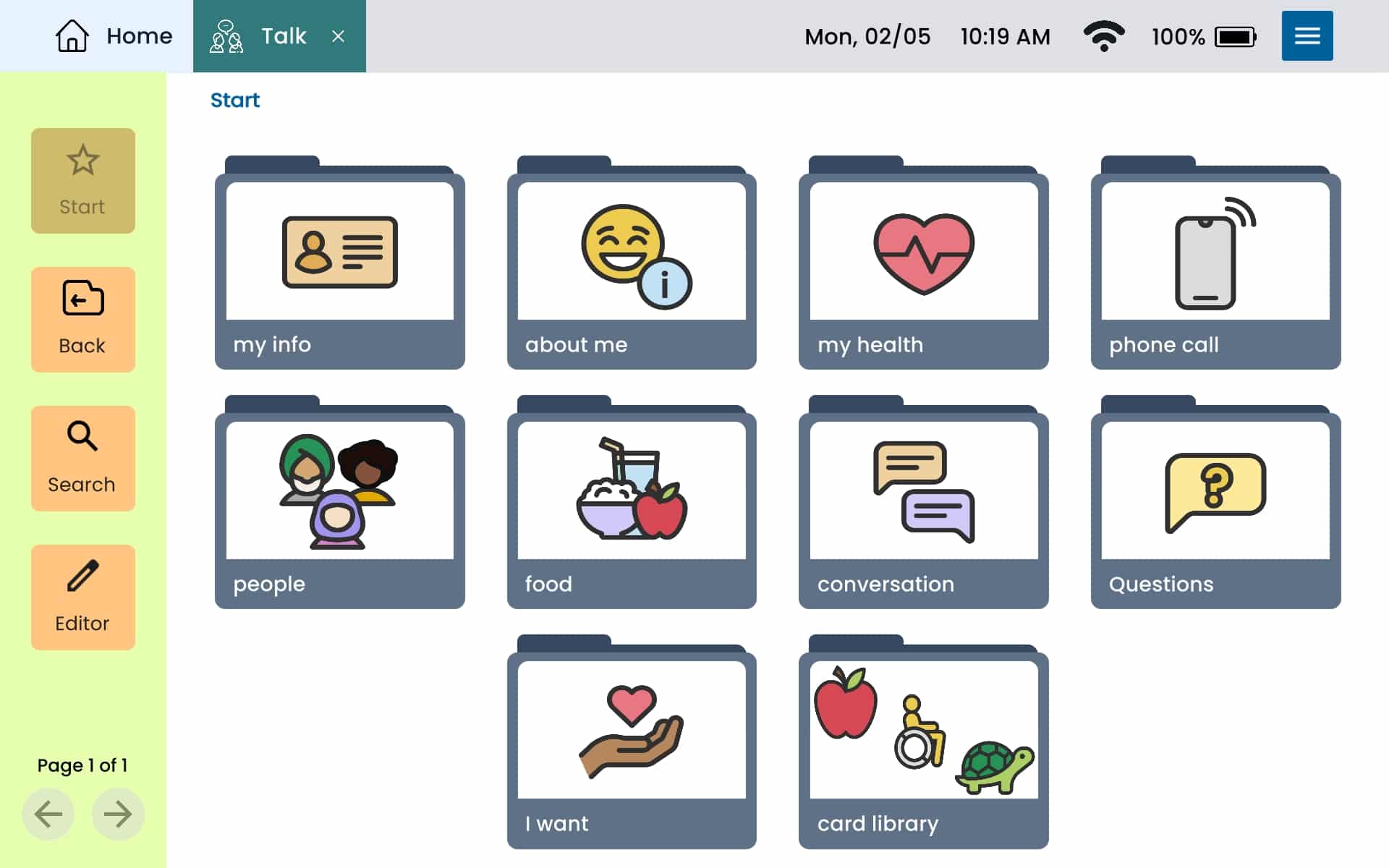
From the Home page, select Talk.
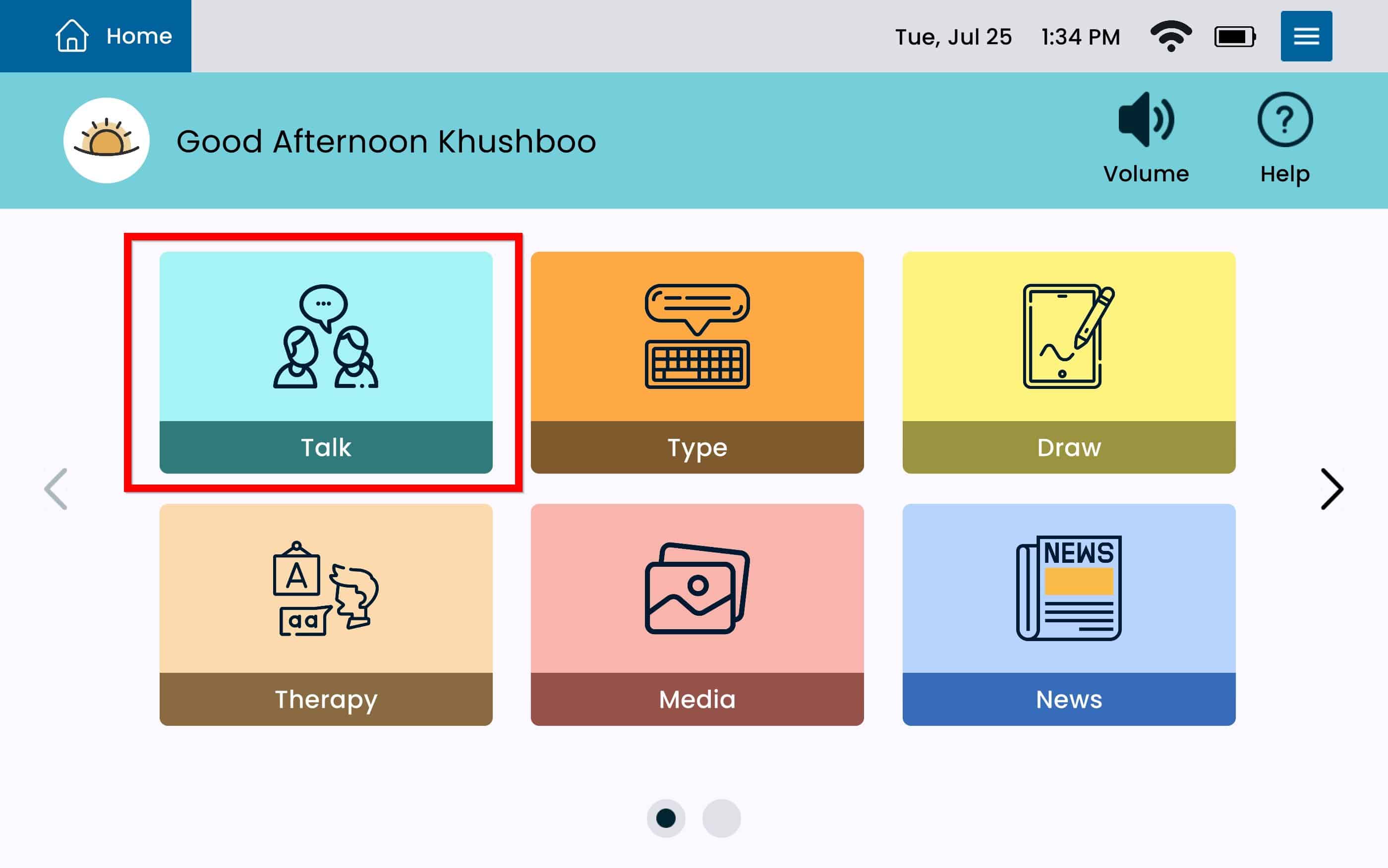
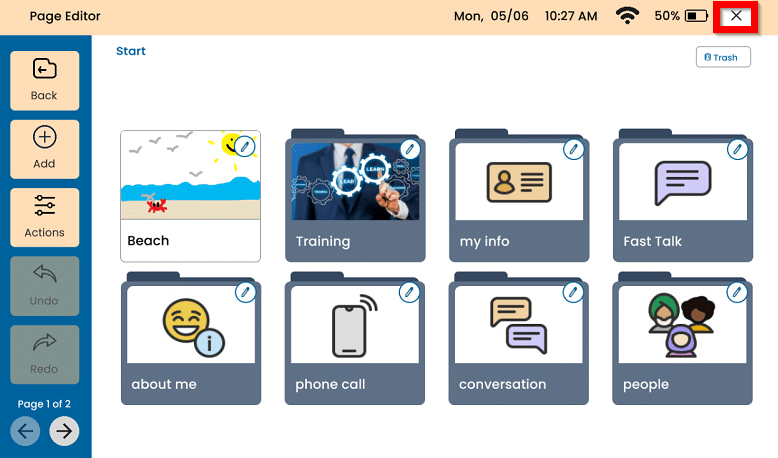
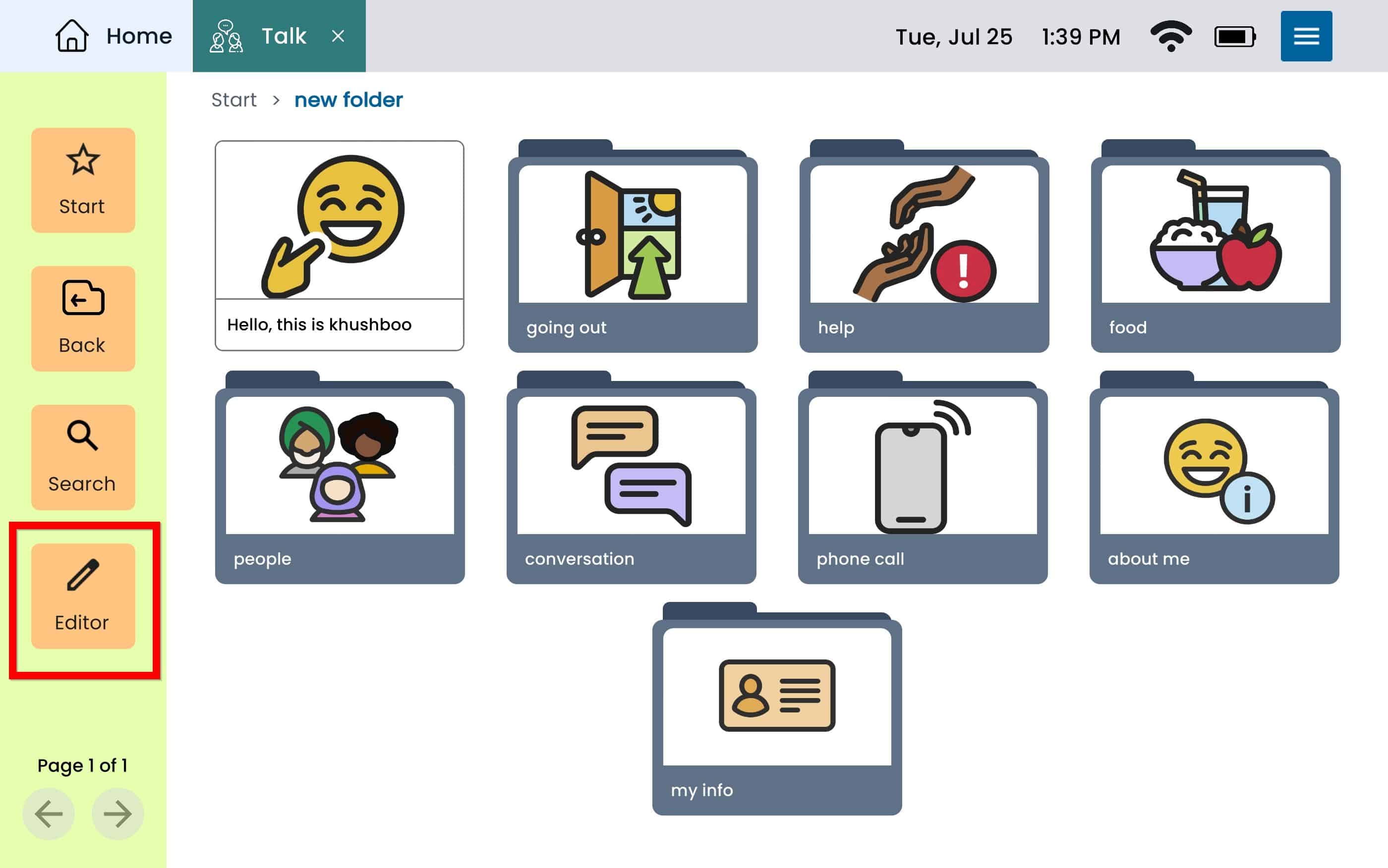
Go to the Card/Folder you want to move and tap Editor on the Button Bar.
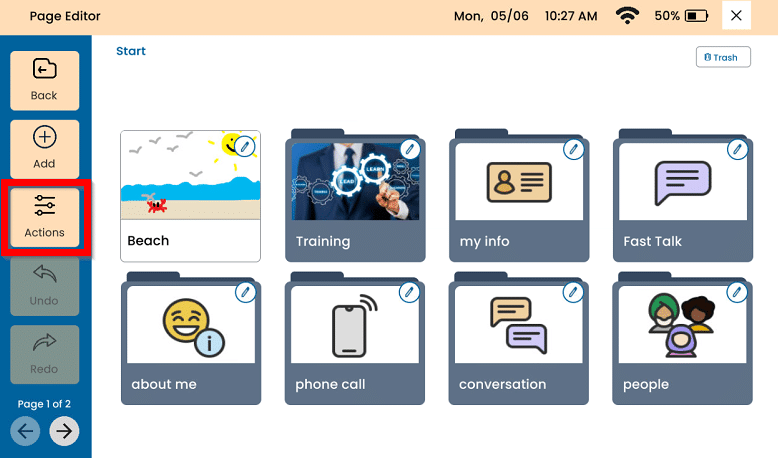
Tap Actions and then select the Card or Folder you want to move.
Tap Move.
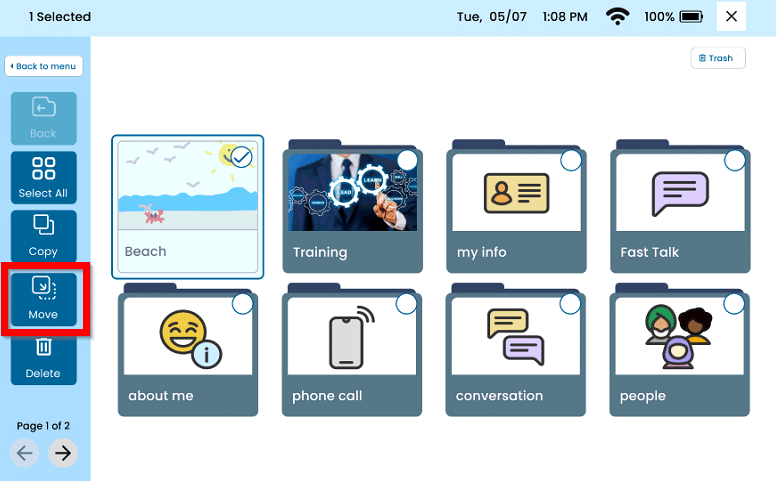
Navigate to the location you would like to move the Card to. ( Tap Start, or Back, or into a folder) and then select Move Here.
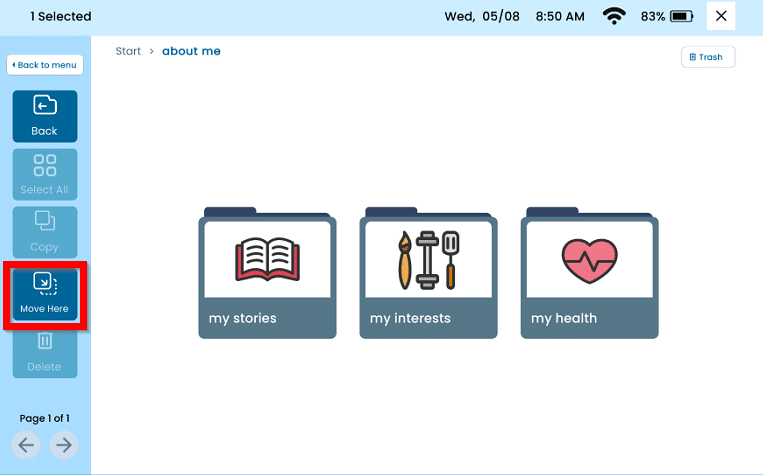
Once the Card has been moved, press the X on the top right to leave the Page Editor.