



Connect to Wi-Fi
Updated: July 28, 2023
Talk
Talk
Talk Settings
Page Editor
Create a Card
Create a Folder
Edit a Card or Folder
Copy a Card or Folder
Move a Card or Folder
Enabling and Disabling the Editor
Search Not Displaying Any Results
Missing Cards and Folders
Dual Language Mode
Search for Cards and Folders
Message Window
Alternative Pronunciation
Therapy
Therapy
News
News
Community
Community
Connect to Wi-Fi
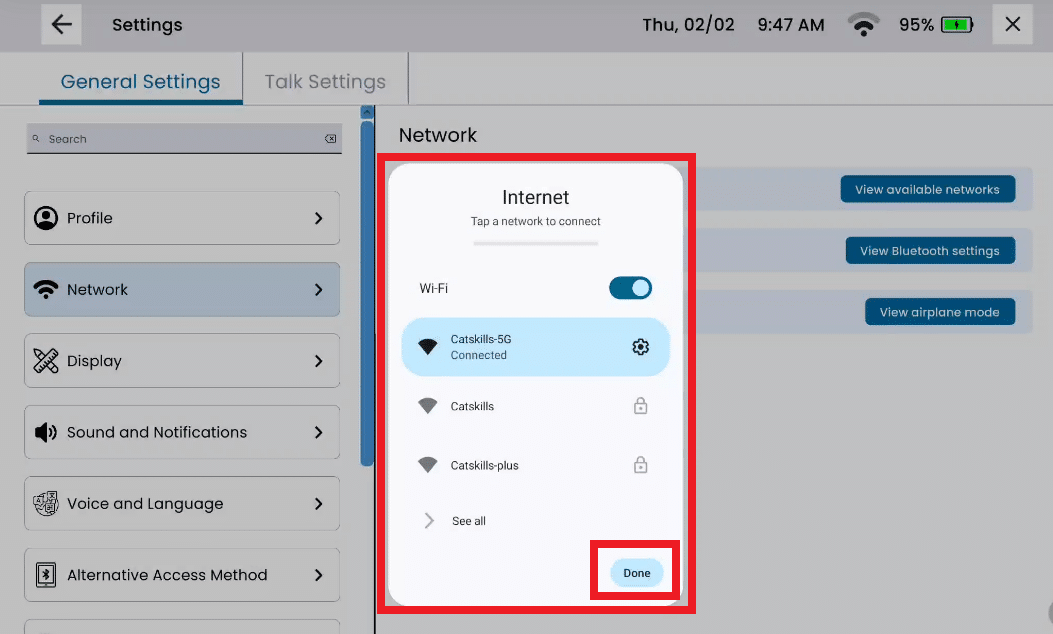
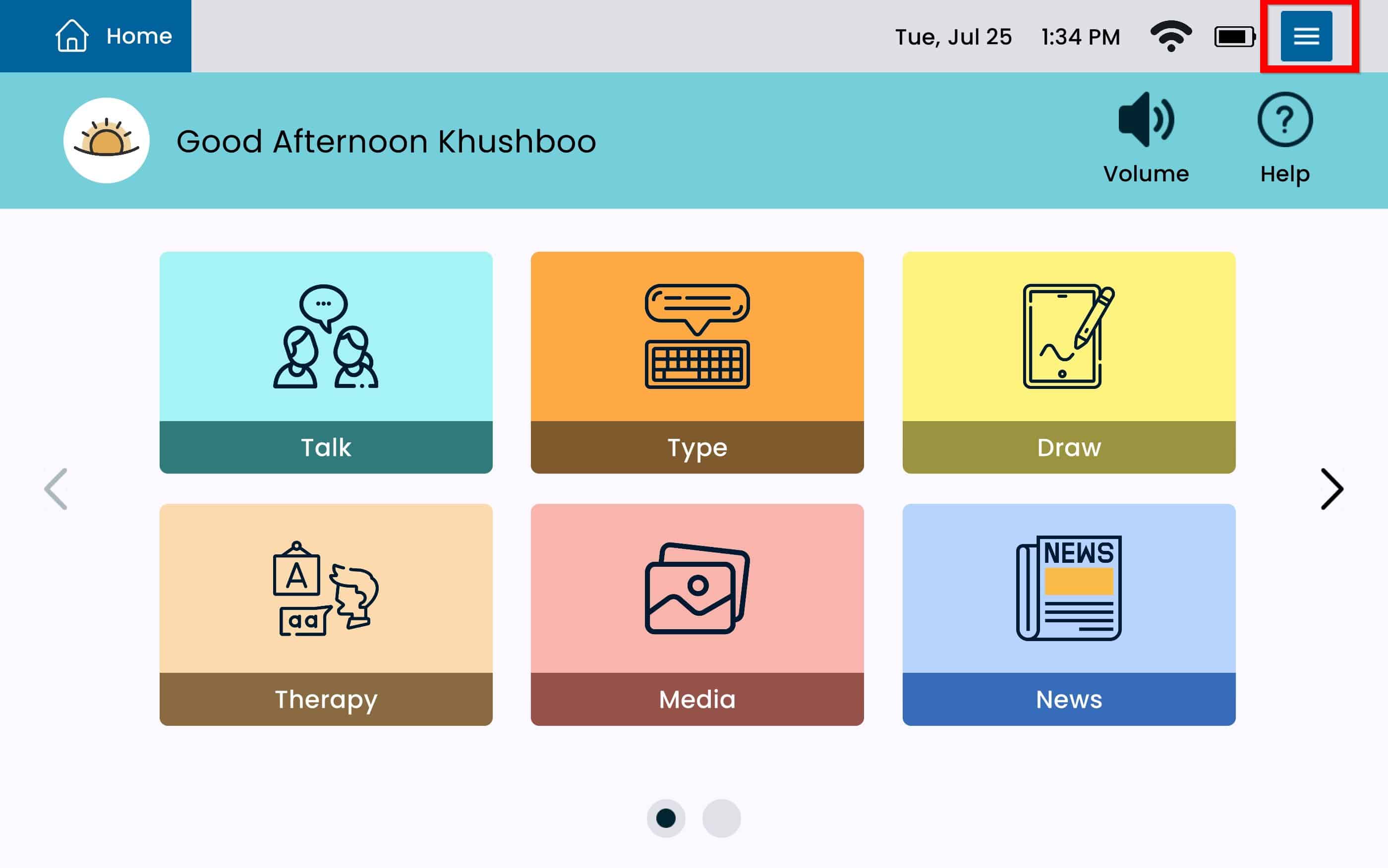
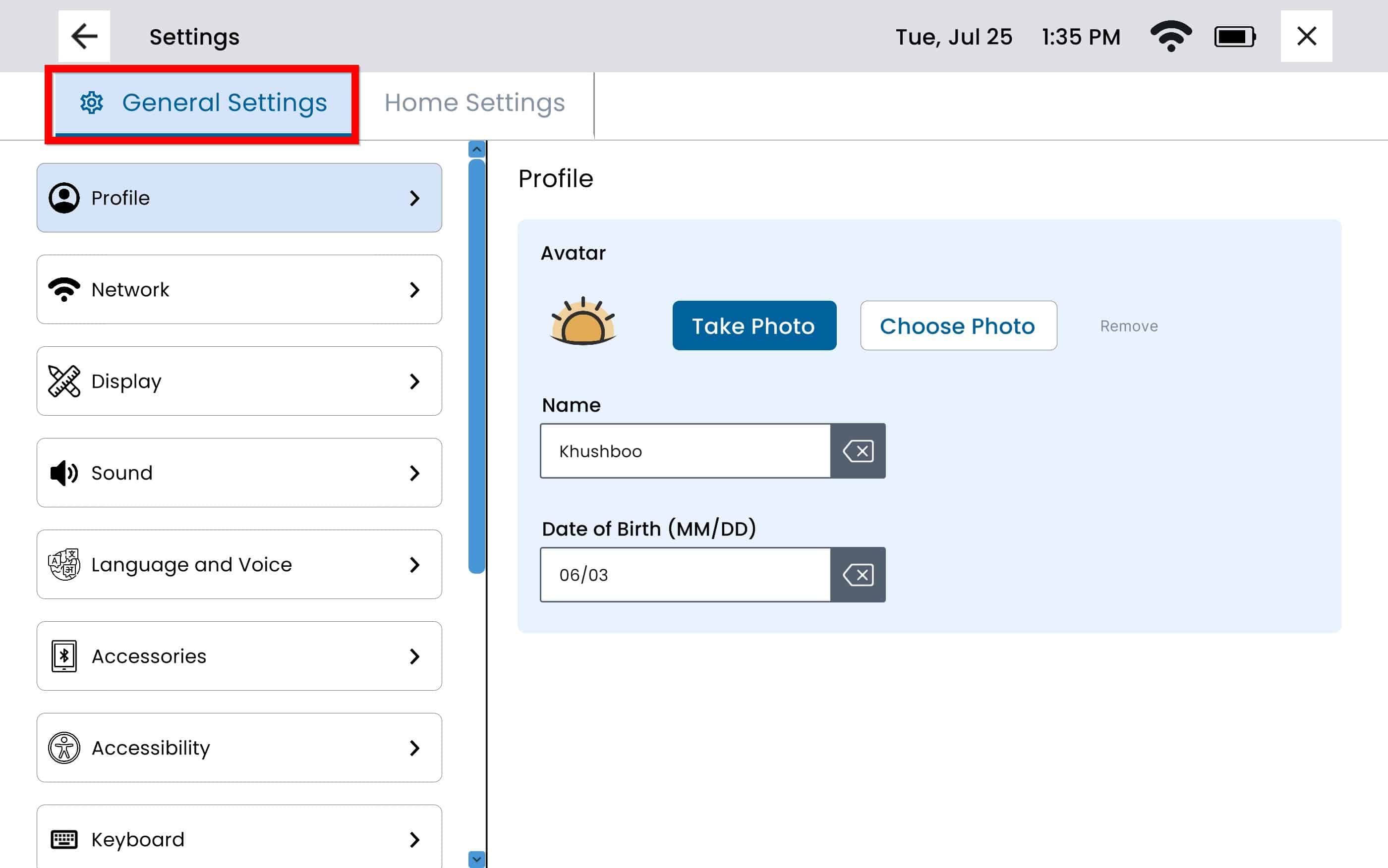
From any screen, tap the Settings Menu and then tap General Settings.
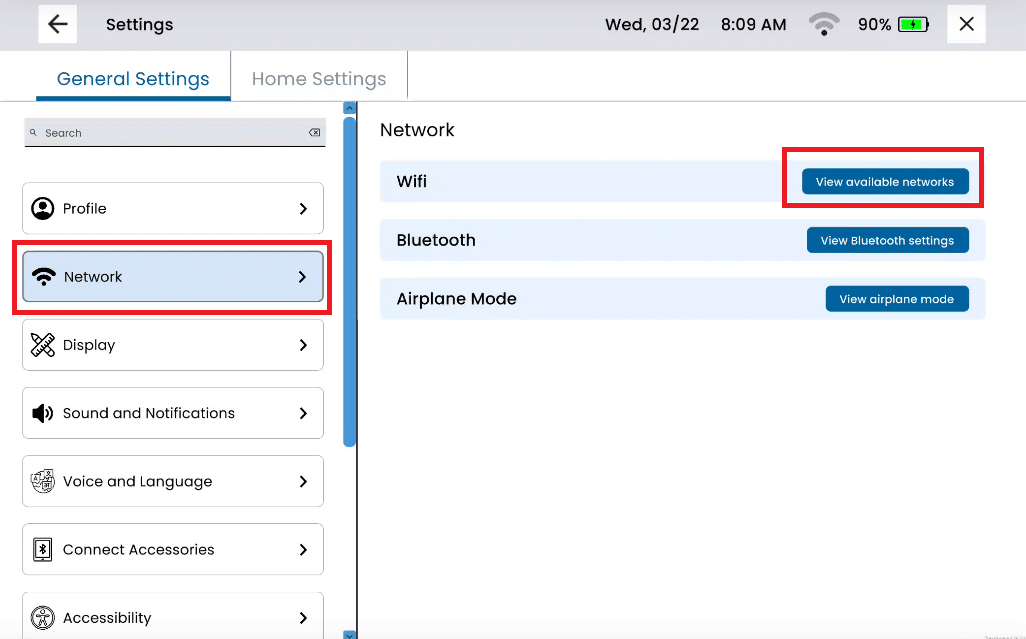
Select Network and tap View Available Networks.
Turn the Wi-Fi Toggle on and select your network.
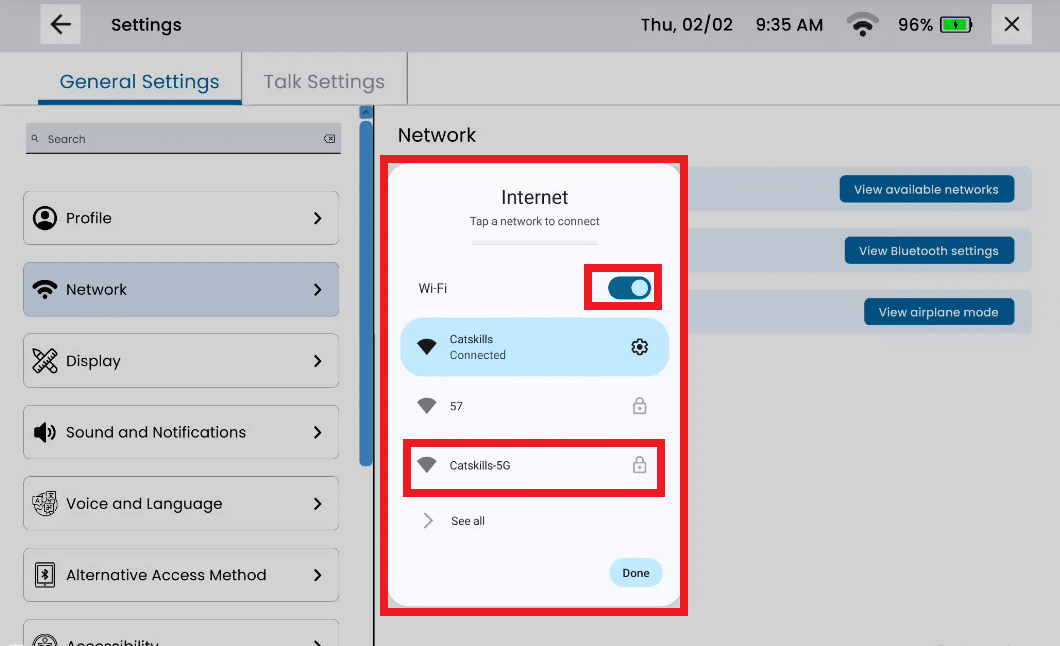
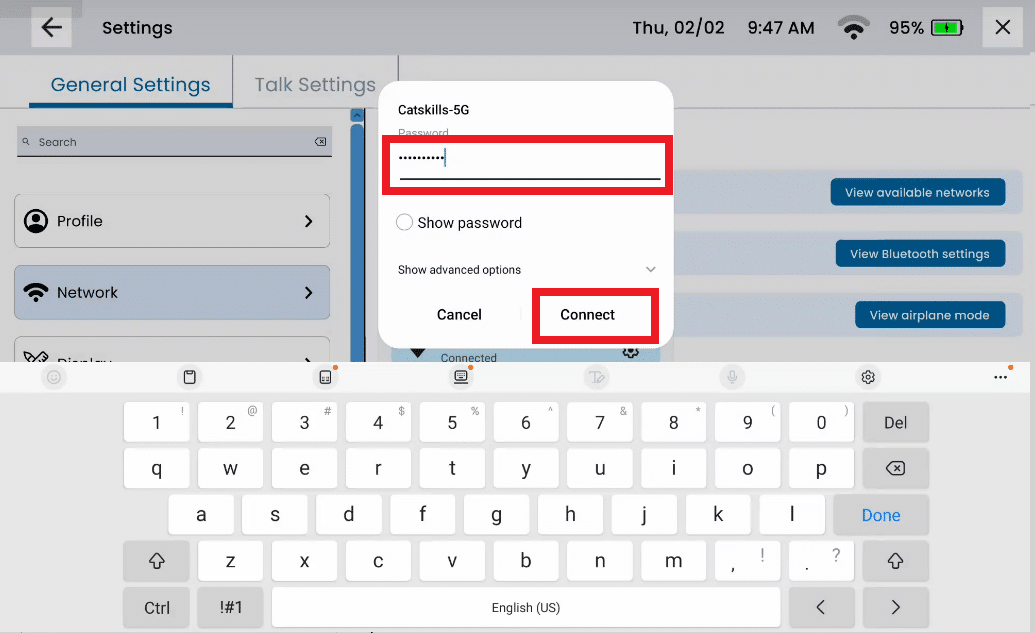
Enter password and tap Connect.
Tap Done.